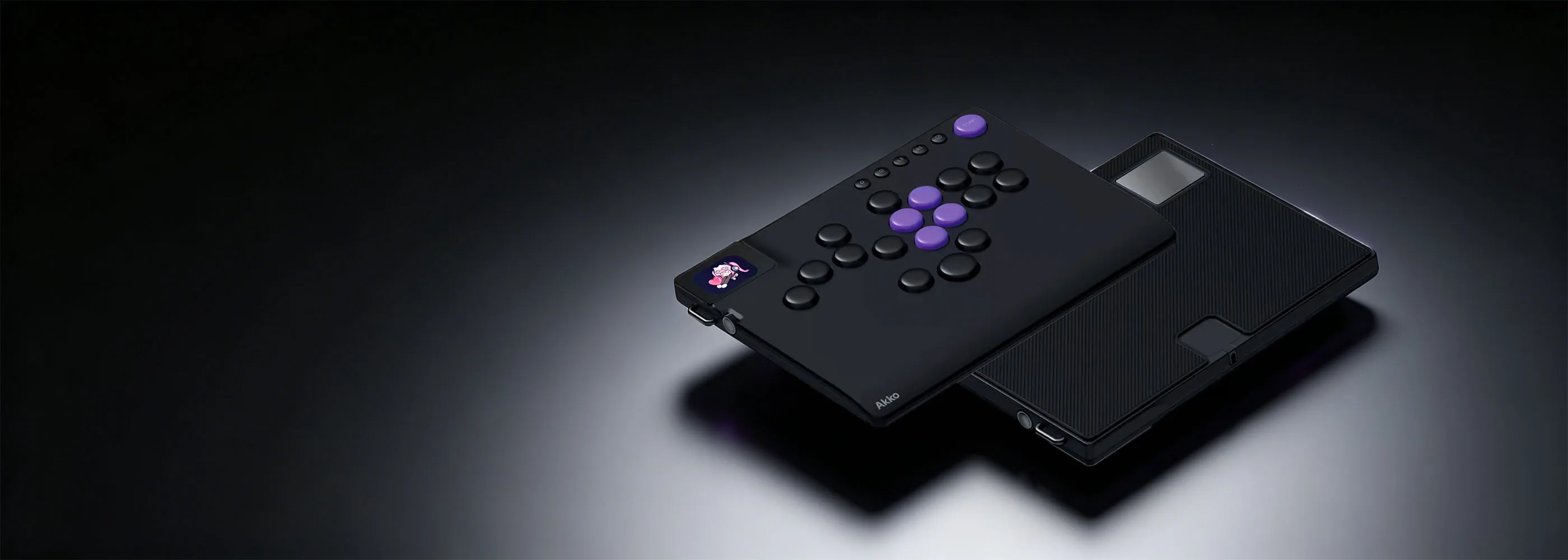
ឧបករណ៍បញ្ជាហ្គេម FUNBOX
50,000Hz
អត្រាស្កេន
305 x 225 x 28mm
វិមាត្រ
ប្រហែល 870g
ទម្ងន់
អេក្រង់ LCD ពណ៌ពេញ
ចលនាចាប់ផ្តើមអាចប្ដូរតាមបំណងបានយ៉ាងពេញលេញតាមរយៈកម្មវិធីបញ្ជា ដែលអនុញ្ញាតឱ្យអ្នកធ្វើឱ្យឧបករណ៍បញ្ជាក្លាយជារបស់អ្នកពិតប្រាកដ។
ចំណាំ៖ ចលនាចាប់ផ្ដើមមិនអាចលៃតម្រូវបានទេ។ អ្នកអាចផ្ទុកឡើងអេក្រង់ចាក់សោបន្ទាប់ពីចាប់ផ្ដើមប្រព័ន្ធ។

ប៊ូតុងពហុមុខងារអាលុយមីញ៉ូម
ប៊ូតុងរហ័សលំដាប់ខ្ពស់សម្រាប់ការចូលប្រើការកំណត់ និងការប្តូររបៀបបានយ៉ាងរហ័ស និងងាយស្រួល។

អាចប្តូរបានភ្លាមៗ ការរចនា
ឆបគ្នាជាមួយកុងតាក់ HE ទម្រង់ទាប Kailh និងកុងតាក់មេកានិចទម្រង់ទាប Kailh 3-pin។

លក្ខណៈបច្ចេកទេសសំខាន់ៗ & លក្ខណៈពិសេស
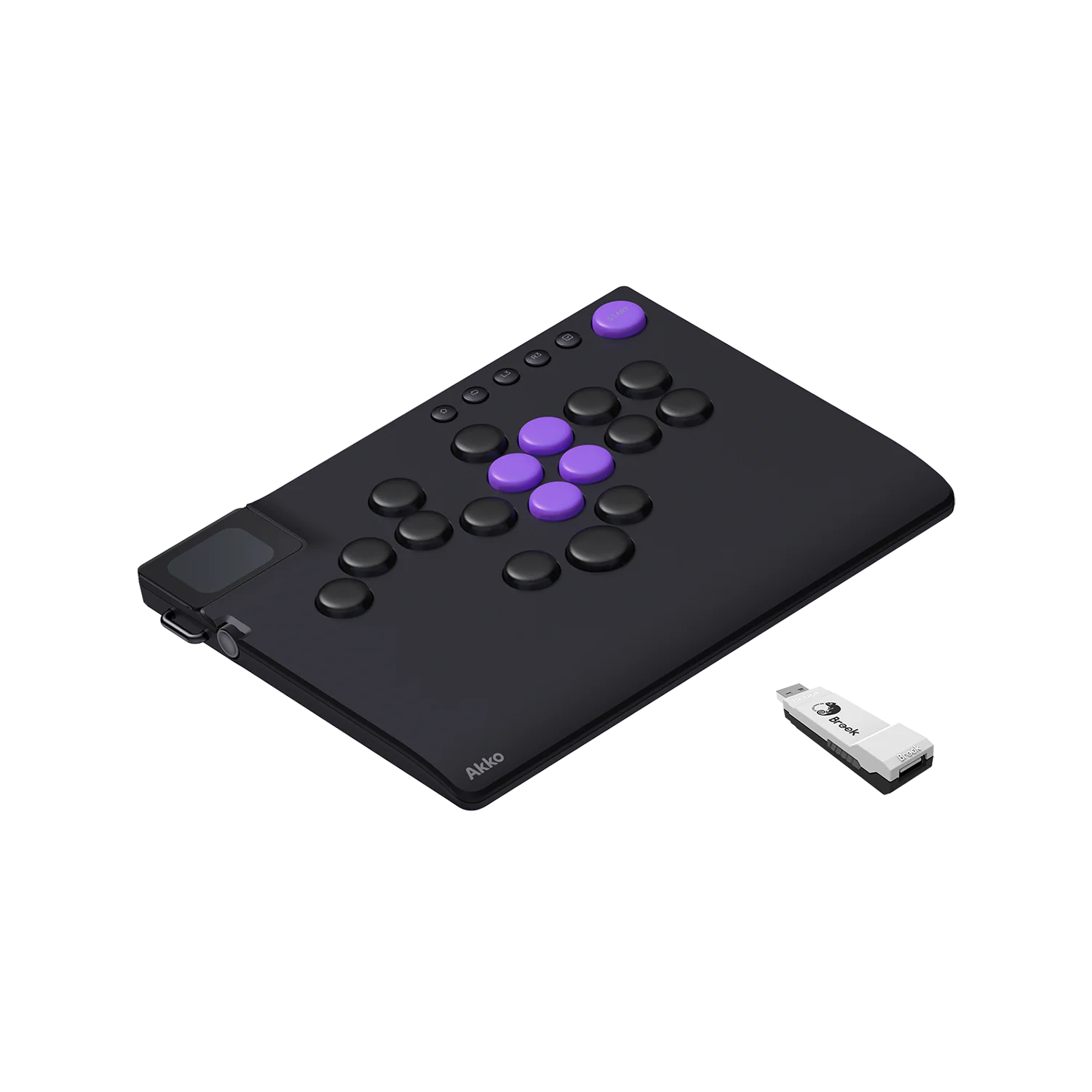
ប្លង់ពហុវេទិកា 17 ប៊ូតុង
គាំទ្រការកំណត់រចនាសម្ព័ន្ធប៊ូតុងជាច្រើនប្រភេទតាមរយៈកម្មវិធីបញ្ជា ដែលឆបគ្នាជាមួយហ្គេមប្រយុទ្ធជាច្រើនប្រភេទ។

ការរចនាដែលអាចប្តូរបានភ្លាមៗ
ភ្ជាប់មកជាមួយកុងតាក់ម៉ាញេទិក Hall Effect ទម្រង់ទាប Kailh Star Mini 2.8mm ជាស្តង់ដារ។ អាចប្តូរបានភ្លាមៗទៅនឹងកុងតាក់មេកានិចទម្រង់ទាប Kailh សម្រាប់អារម្មណ៍ដែលអាចប្ដូរតាមបំណងបានយ៉ាងពេញលេញ។

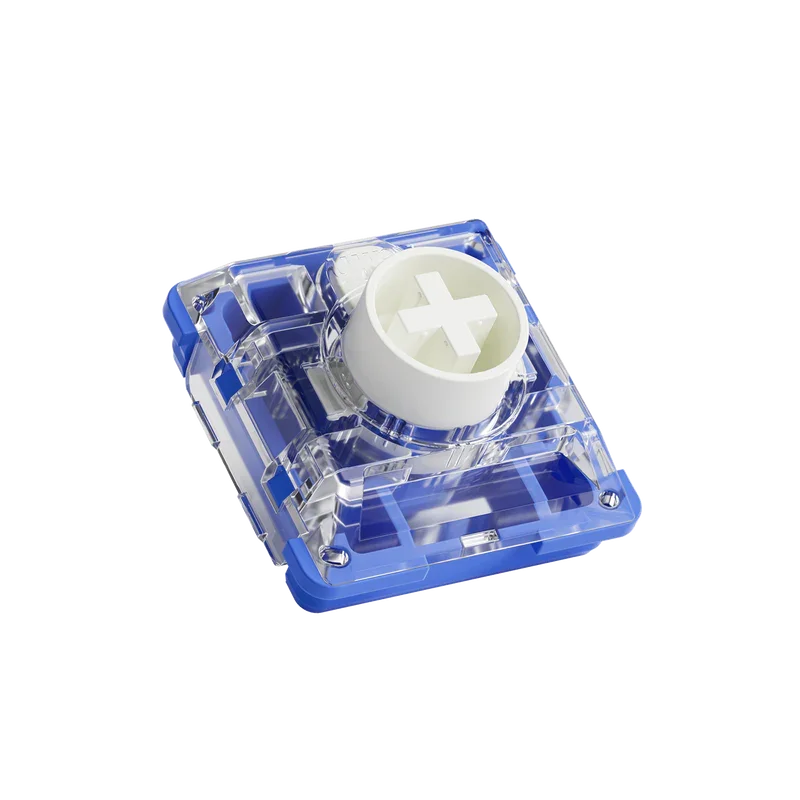
Star Mini Magnetic
កុងតាក់ម៉ាញេទិកបែប Hall Effect ទម្រង់ទាប · រួមបញ្ចូលជាមួយ FUNBOX
ប្រភេទ៖ កុងតាក់ម៉ាញេទិក (បែបផែន Hall)
កម្លាំងបញ្ជា៖ 30 ± 10 gf
ការធ្វើដំណើរសរុប៖ 2.8 ± 0.25 mm
អាំងឌុចស្យុងម៉ាញេទិកដំបូង (ប៉ូល N)៖
280 ± 20 Gs
120 ± 15 Gs (PCB 1.2mm)
100 ± 15 Gs (PCB 1.6mm)
រុញទៅអាំងឌុចស្យុងម៉ាញេទិកពេញ (ប៉ូល N)៖
3500 ± 200 Gs
850 ± 80 Gs (PCB 1.2mm)
600 ± 80 Gs (PCB 1.6mm)
ភាពធន់៖ ការចុចគ្រាប់ចុចជាង 100 លានដង
សម្ភារៈ៖ POM / PC / Nylon
អេក្រង់ LCD ពណ៌ពេញ
ចលនាចាប់ផ្តើមអាចប្ដូរតាមបំណងបានយ៉ាងពេញលេញតាមរយៈកម្មវិធីបញ្ជា ដែលអនុញ្ញាតឱ្យអ្នកធ្វើឱ្យវាក្លាយជាឧបករណ៍បញ្ជាផ្ទាល់ខ្លួនរបស់អ្នក។
ប៊ូតុងពហុមុខងារអាលុយមីញ៉ូម
ប៊ូតុងរហ័សលំដាប់ខ្ពស់សម្រាប់ការចូលប្រើការកំណត់ និងការប្តូររបៀបបានរហ័សជាមួយនឹងអារម្មណ៍ពេញចិត្ត និងមានគុណភាពខ្ពស់។
ប៊ូតុងបញ្ជារហ័សដែលមានភាពជាក់លាក់ខ្ពស់
អាចលៃតម្រូវបានយ៉ាងពេញលេញពី 0.1mm ដល់ 2.8mm។ លៃតម្រូវសម្រាប់ការបញ្ចូលលឿនដូចផ្លេកបន្ទោរ ឬការចុចដោយចេតនាជាងនេះ — អាស្រ័យលើអ្នកទាំងស្រុង។
ការបញ្ចប់ EDM លំដាប់ខ្ពស់
ផ្ទៃបញ្ចប់ EDM ទប់ទល់នឹងពន្លឺចែងចាំង និងស្នាមម្រាមដៃ សូម្បីតែបន្ទាប់ពីការប្រើប្រាស់យូរក៏ដោយ ដោយរក្សាអារម្មណ៍រលោង និងលំដាប់ខ្ពស់រាល់ពេលដែលអ្នកលេង។
ប្ដូរតាមបំណងដោយសេរីជាមួយកម្មវិធីបញ្ជាគេហទំព័រ
ការផ្គូផ្គងប៊ូតុង ការកំណត់ការកេះរហ័ស ចលនា LCD និងច្រើនទៀត — ទាំងអស់អាចកំណត់រចនាសម្ព័ន្ធបានដោយវិចារណញាណពីកម្មវិធីរុករករបស់អ្នក។ មិនចាំបាច់ដំឡើងទេ។ រៀបចំវាតាមវិធីរបស់អ្នក គ្រប់ពេលវេលា គ្រប់ទីកន្លែង។
 FUNBOX ស្តង់ដារ
អ្វីគ្រប់យ៉ាងដែលអ្នកត្រូវការដើម្បីចាប់ផ្តើមជាមួយ leverless ភ្លាមៗ។
ឧបករណ៍បញ្ជា Akko FUNBOX
កុងតាក់ម៉ាញេទិកទម្រង់ទាប Kailh (បានដំឡើងជាមុន)
ខ្សែ USB-C
ការចូលប្រើកម្មវិធីបញ្ជា
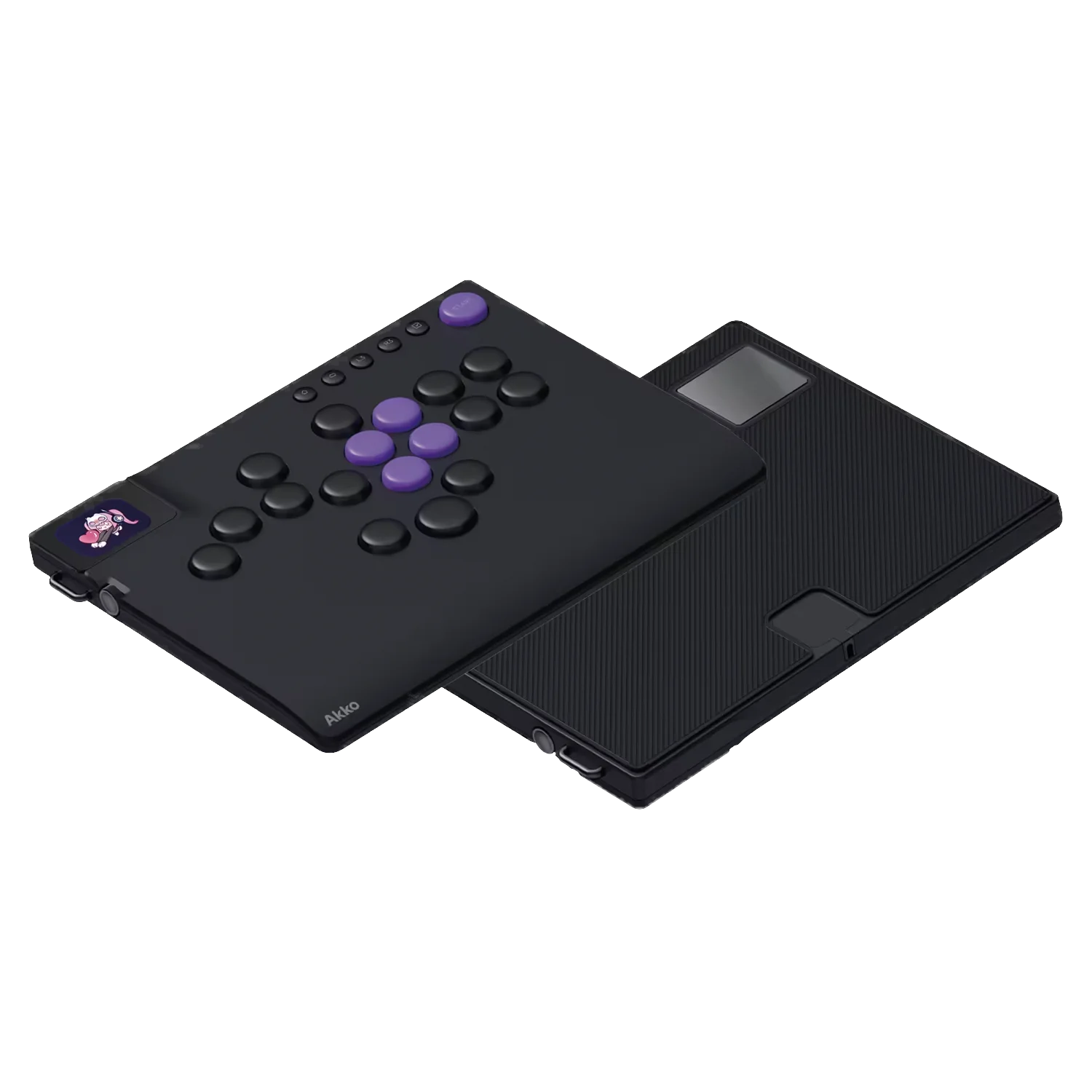
កញ្ចប់ FUNBOX + Brook Wingman (ផលិតផលនេះមិនរួមបញ្ចូលកញ្ចប់ Brook Wingman ដែលត្រូវតែទិញដោយឡែកពីគ្នាទេ។)
លេងលើ PS5, Xbox និងច្រើនទៀតជាមួយអាដាប់ទ័រដែលភ្ជាប់មកជាមួយ។
ឧបករណ៍បញ្ជា Akko FUNBOX
អាដាប់ទ័រ Brook Wingman FGC2
កុងតាក់ម៉ាញេទិកទម្រង់ទាប Kailh
ខ្សែ USB-C
ការចូលប្រើកម្មវិធីបញ្ជា
 សំណួរដែលសួរញឹកញាប់
តើ FUNBOX ឆបគ្នាជាមួយវេទិកាអ្វីខ្លះ?
កុំព្យូទ័រ
• ការតភ្ជាប់៖ USB-C ផ្ទាល់
• ចំណាំ៖ គាំទ្រអត្រាស្ទង់មតិរហូតដល់ 8000Hz
PS5
• ការតភ្ជាប់៖ Brook Wingman FGC2
• ចំណាំ៖ តម្រូវឲ្យមានអាដាប់ទ័រ — ភ្ជាប់ FGC2 ទៅ PS5 បន្ទាប់មកដោត FUNBOX ចូលទៅក្នុងអាដាប់ទ័រ។ មានជាបាច់។
PS4
• ការតភ្ជាប់៖ របៀបអនុញ្ញាតឧបករណ៍បញ្ជា
• កំណត់ចំណាំ៖ ភ្ជាប់ឧបករណ៍បញ្ជា PS4 ដើមរបស់អ្នកទៅរន្ធខាងក្រោមនៃ FUNBOX ដោយប្រើខ្សែបន្ថែមដែលភ្ជាប់មកជាមួយ។
Xbox
• ការតភ្ជាប់៖ របៀបអនុញ្ញាតឧបករណ៍បញ្ជា
• កំណត់ចំណាំ៖ ភ្ជាប់ឧបករណ៍បញ្ជា Xbox ដើមរបស់អ្នកទៅរន្ធខាងក្រោមនៃ FUNBOX ដោយប្រើ
ផ្នែកបន្ថែមដែលភ្ជាប់មកជាមួយ ខ្សែ។
កុងតាក់
• ការតភ្ជាប់៖ USB-C / OTG
• ចំណាំ៖ ដំណើរការតាមរយៈ Dock ឬដោយផ្ទាល់ទៅកាន់កុងសូល។ ការតភ្ជាប់ដោយផ្ទាល់តម្រូវឱ្យមាន OTG
អាដាប់ទ័រ (មិនរួមបញ្ចូល)។ សូមមើលសៀវភៅណែនាំផលិតផលសម្រាប់ដ្យាក្រាមដំឡើង។
តើរន្ធ និងរន្ធ USB នៅផ្នែកខាងក្រោមនៃ FUNBOX សម្រាប់អ្វី?
រន្ធនេះត្រូវបានរចនាឡើងសម្រាប់ការផ្ទៀងផ្ទាត់ឧបករណ៍បញ្ជា ដែលអនុញ្ញាតឱ្យមានភាពឆបគ្នាជាមួយ PS4 និង Xbox តាមរយៈរបៀបផ្ទៀងផ្ទាត់ឧបករណ៍បញ្ជា។ ខ្សែ USB សំប៉ែតពិសេសមួយត្រូវបានបង្កើតឡើងជាពិសេសសម្រាប់រន្ធនេះ — ដែលបានសាកល្បងដើម្បីធានាថា FUNBOX ស្ថិតនៅរាបស្មើ និងមានស្ថេរភាពលើផ្ទៃណាមួយដោយមិនរង្គើ។ ប្រសិនបើអ្នកមិនកំពុងប្រើ FUNBOX ជាមួយ PS4 ឬ Xbox ទេ រន្ធនេះអាចត្រូវបានមិនអើពើដោយសុវត្ថិភាព។
តើ FUNBOX គាំទ្រ Brook Wingman FGC1 ដែរឬទេ?
FUNBOX មិនឆបគ្នាជាមួយ Brook Wingman FGC1 ទេ។ FGC1 និង FGC2 មានស្ថាបត្យកម្មខាងក្នុងខុសគ្នាគួរឱ្យកត់សម្គាល់។ សម្រាប់ការលេង PS5 យើងសូមណែនាំ Brook Wingman FGC2 ដែលមានជាបាច់ជាមួយ FUNBOX។


