UGREEN Thunderbolt4 USB HUB 8-in-1 ស្ថានីយ៍ចត 40Gbps ជាមួយ Thunderbolt 4 ចំនួន 3 4K60Hz 8K30Hz 1000Mbps 10Gbps សម្រាប់កុំព្យូទ័រយួរដៃ MacBook
លក្ខណៈបច្ចេកទេស
ទម្រង់អូឌីយ៉ូ៖ DTS, DTS-HD, Dolby Digital, Dolby TrueHD, Dolby Digital Plus, Dolby Atmos។
អត្រាគំរូអូឌីយ៉ូ៖ រហូតដល់ 96kHz/24-bit
ឈ្មោះម៉ាក៖ UGREEN
ខ្សែ៖ ខ្សែ Thunderbolt 4 ទំហំ 0.8M
វិញ្ញាបនបត្រ៖ CE,FCC,RoHS
ឧបករណ៍កុំព្យូទ័រដែលឆបគ្នា៖ កុំព្យូទ័រយួរដៃ
ប្រព័ន្ធដែលឆបគ្នា៖ Windows, MacOS, Windows 10 (20H2) ឬក្រោយនេះ/macOS 11.4 ឬក្រោយនេះ
មុខងារ៖ USB-A, USB-C, Thunderbolt, សាកថ្ម
សារធាតុគីមីដែលមានការព្រួយបារម្ភខ្ពស់៖ គ្មាន
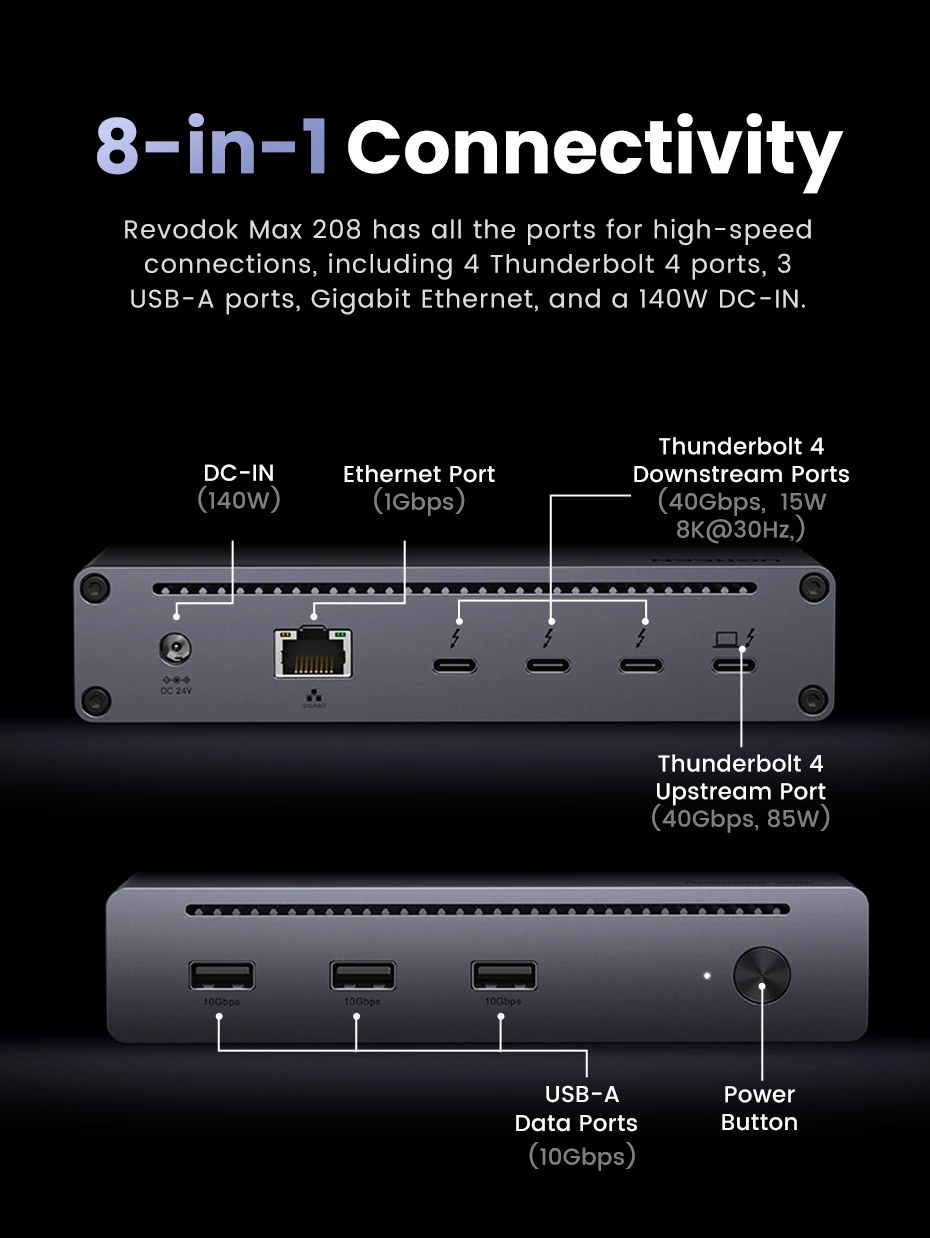
រន្ធបញ្ចូល (DC)៖ រន្ធដោត DC ទំហំ 5.5 x 2.5mm; ភ្ជាប់ទៅនឹងអាដាប់ទ័រថាមពលដើម្បីផ្តល់ថាមពលដល់ឧបករណ៍ភ្ជាប់ និងសាកឧបករណ៍ម៉ាស៊ីន។
រន្ធបញ្ចូល (TBT4)៖ រន្ធ USB-C អនុលោមតាម Thunderbolt 4 រហូតដល់ 40Gbps; ឆបគ្នាជាមួយ USB4 និង Thunderbolt 3; គាំទ្រ DP 1.4, daisy-chaining និងការសាកថ្ម PD រហូតដល់ 85W; កម្រិតបញ្ជូន PCIe រហូតដល់ 32Gbps និងទិន្នផលវីដេអូ 8K@30Hz; សម្រាប់ការតភ្ជាប់ម៉ាស៊ីន។
ប្រភេទចំណុចប្រទាក់៖ USB Type-C
សូចនាករ LED៖ LED ពណ៌ពីរ (បៃតង/ខៀវ); ពណ៌បៃតងភ្លឺច្បាស់នៅពេលបើក ពណ៌ខៀវភ្លឺច្បាស់នៅពេលភ្ជាប់ទៅឧបករណ៍ម៉ាស៊ីន។
សម្ភារៈ៖ ផ្សេងៗ អាលុយមីញ៉ូម លោហៈ ផ្លាស្ទិច
លេខម៉ូដែល៖ U708-25053
ប្រភពដើម៖ ចិនដីគោក
រន្ធចេញ (3xTBT4)៖ រន្ធ USB-C អនុលោមជាមួយ Thunderbolt 4 រហូតដល់ 40Gbps; ឆបគ្នាជាមួយ USB4 និង Thunderbolt 3; គាំទ្រ DP 1.4, daisy-chaining, ទិន្នផលថាមពលរហូតដល់ 5V/3A ក្នុងមួយរន្ធ, កម្រិតបញ្ជូន PCIe 32Gbps និងទិន្នផលវីដេអូ 8K@30Hz; សម្រាប់អេក្រង់បង្ហាញ និងឧបករណ៍ USB។
រន្ធចេញ (3xUSB-A 3.2 ជំនាន់ទី 2): ការផ្ទេរទិន្នន័យរហូតដល់ 10Gbps; ឆបគ្នាជាមួយ USB 3.0/2.0/1.1; គាំទ្រការសាកថ្ម BC 1.2; សម្រាប់គ្រឿងកុំព្យូទ័រ USB និងឧបករណ៍ផ្ទុក។
រន្ធចេញ (RJ45): គាំទ្រ Ethernet រហូតដល់ 1Gbps, ឆបគ្នាជាមួយ 100/10Mbps; អនុលោមតាម IEEE 802.3/802.3u/802.3ab/802.3z/802.3x; សម្រាប់ការតភ្ជាប់បណ្តាញមានខ្សែ។
កញ្ចប់៖ បាទ/ចាស៎
ប្រភេទឌុយ៖ EU
ច្រក៖ 8
អាដាប់ទ័រថាមពល៖ អាដាប់ទ័រប្រភេទឌុយ EU (DC 24V/5.83A, 140W)
ប៊ូតុងថាមពល៖ បើក/រង់ចាំ
ការផ្គត់ផ្គង់ថាមពល៖ តម្រូវឱ្យមានអាដាប់ទ័រថាមពល DC (24V/5.83A, 140W) ដើម្បីដំណើរការ។
ម៉ូដែលផលិតផល៖ ស្ថានីយដោត UGREEN Revodok Max 208
ឈ្មោះផលិតផល៖ ស្ថានីយដោត 8-in-1 / ស្ថានីយដោត Thunderbolt 4 / មជ្ឈមណ្ឌល USB-C / ឧបករណ៍ពង្រីក USB
ស្តង់ដារ៖ Thunderbolt4
អំពីរបស់របរនេះ៖
ការពង្រីកដ៏ធំសម្បើម 8-in-1៖ Thunderbolt 4 Dock 8-in-1 ត្រូវបានបំពាក់ដោយ Thunderbolt 4 ចំនួន 3 (40Gbps, 15W), USB A 3.2 ចំនួន 3 (10Gbps), អ៊ីសឺរណិត gigabit និងរន្ធថាមពល DC 140W ដែលអាចបំពេញតម្រូវការពង្រីកដំណើរការខ្ពស់ទាំងអស់របស់អ្នក។
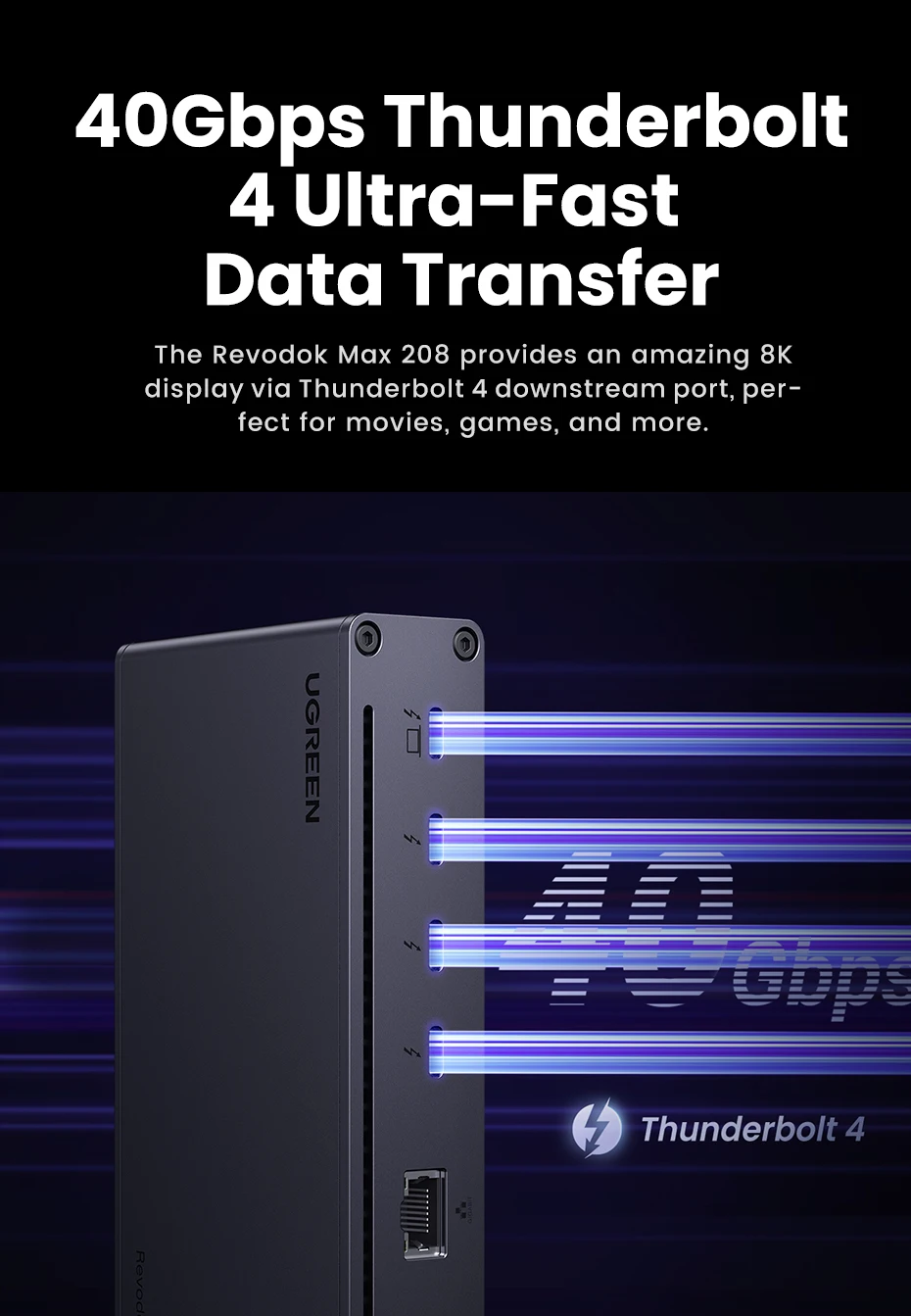
Thunderbolt 4 ដ៏មានអានុភាព៖ ជាមួយ ជាមួយនឹងរន្ធ Thunderbolt 4 ឡើងលើមួយ និងរន្ធ Thunderbolt 4 ចុះក្រោមចំនួនបី អ្នកអាចផ្ទេរទិន្នន័យក្នុងល្បឿនរហូតដល់ 40Gbps និងបង្ហាញក្នុងគុណភាពបង្ហាញរហូតដល់ 8K។ ទទួលបានបទពិសោធន៍ការងារដែលមានដំណើរការខ្ពស់ដូចមិនធ្លាប់មានពីមុនមក។
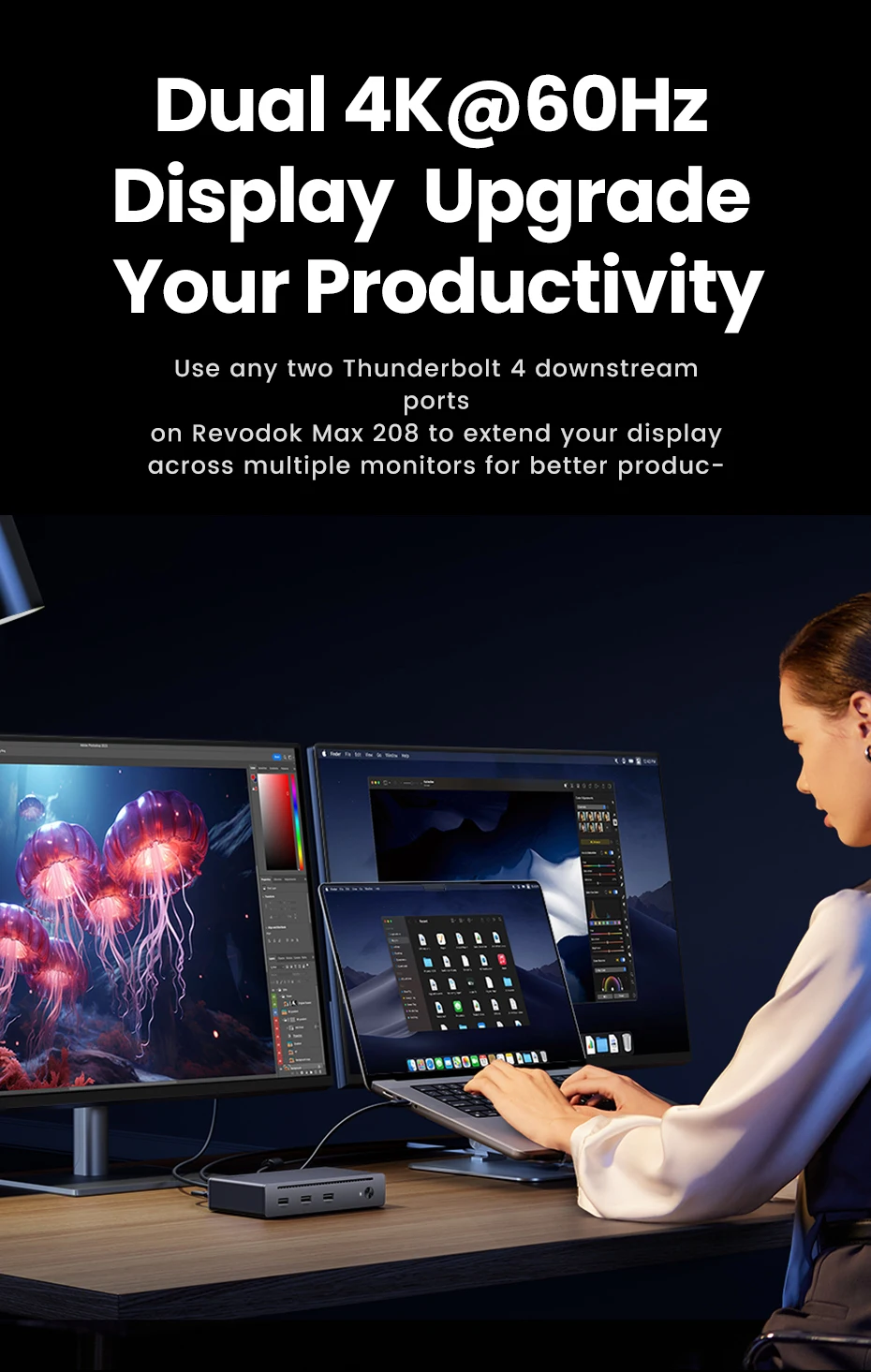
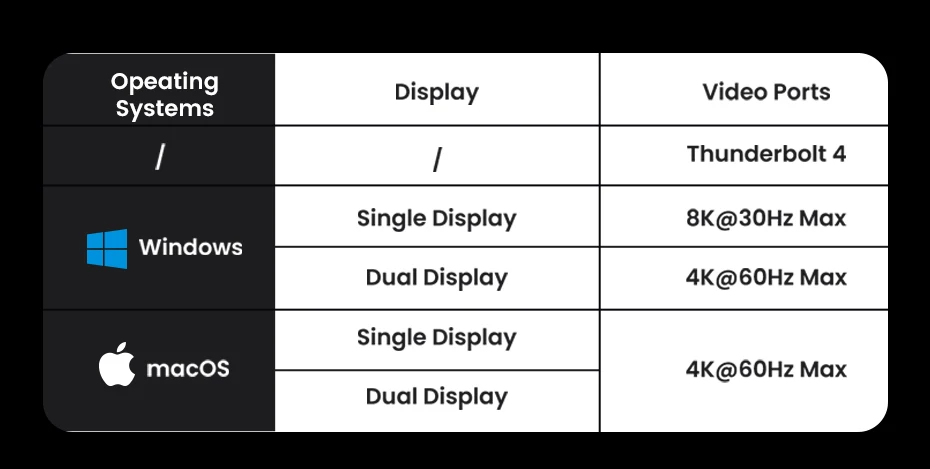
អេក្រង់ពីរ 4K@60Hz ឬអេក្រង់ 8K តែមួយ៖ ស្ថានីយចត Thunderbolt 4 អាចពង្រីកអេក្រង់ 4K@60Hz ចំនួនពីរ ឬអេក្រង់ 8K@30Hz តែមួយសម្រាប់កុំព្យូទ័រយួរដៃ Windows, អេក្រង់ 4K@60Hz ចំនួនពីរ ឬអេក្រង់ 4K@60Hz តែមួយសម្រាប់ Macbook ជាមួយបន្ទះឈីប M-Chips និងបន្ទះឈីប Intel កំណែ Pro/Max, អេក្រង់ 4K@60Hz តែមួយសម្រាប់ Macbook ជាមួយបន្ទះឈីប M-Chips មូលដ្ឋាន។ បង្កើនប្រសិទ្ធភាពការងារ និងបទពិសោធន៍បង្ហាញរបស់អ្នកយ៉ាងខ្លាំង។
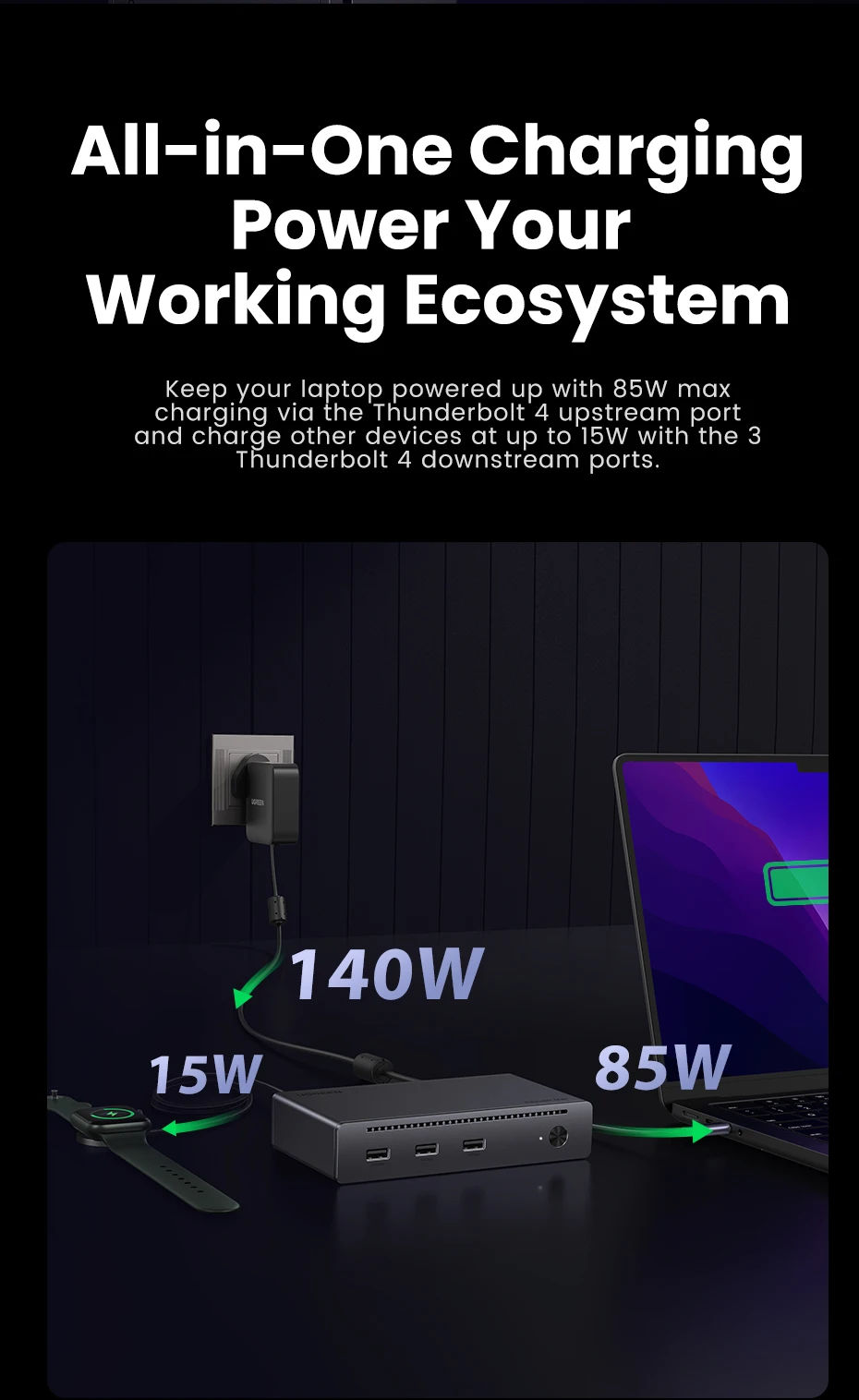
ការសាកថ្មល្បឿនលឿន ៨៥វ៉ាត់៖ ជាមួយនឹងឆ្នាំងសាក GaN កម្លាំង ១៤០វ៉ាត់ ដែលភ្ជាប់មកជាមួយ Thunderbolt 4 Hub នេះអាចសាកថ្មកុំព្យូទ័រយួរដៃរបស់អ្នកបានរហូតដល់ ៨៥វ៉ាត់ ខណៈពេលកំពុងដំណើរការ។ មិនចាំបាច់ភ្ជាប់ឆ្នាំងសាកផ្សេងទៀតទេ។ (ឧបករណ៍ភ្ជាប់ត្រូវតែភ្ជាប់ទៅនឹងឆ្នាំងសាកដើម្បីដំណើរការ)
ឆបគ្នាយ៉ាងទូលំទូលាយ៖ Thunderbolt 4 Hub អាចប្រើបានជាមួយកុំព្យូទ័រ ឬថេប្លេត Thunderbolt 4, Thunderbolt 3, USB4 ឬ USB-C ភាគច្រើន រួមទាំង Macbooks (macOS 11.4 និងខ្ពស់ជាងនេះ) កុំព្យូទ័រយួរដៃ Windows (Windows 10 និងខ្ពស់ជាងនេះ) iPads ឬថេប្លេតផ្សេងទៀតដែលមានរន្ធ USB-C។ (កុំព្យូទ័រយួរដៃ និងថេប្លេត USB-C ដែលមានមុខងារពេញលេញគាំទ្រតែអេក្រង់តែមួយប៉ុណ្ណោះ)
UGREEN
3xThunderbolt 4 40Gbps
ស្ថានីយ៍ចត 8-ក្នុង-1
✔រន្ធ Thunderbolt 4 40Gbps ចំនួន 3
✔អេក្រង់តែមួយ 8K@30Hz ✔អេក្រង់ពីរ 4K@60Hz
✔រន្ធ USB-A 3.2 Gen2 10Gbps ចំនួន 3
✔1000Mbps RJ45 ✔140W DC Input
✔សាកថ្មលឿន 85W សម្រាប់ម៉ាស៊ីន ✔ប៊ូតុងថាមពល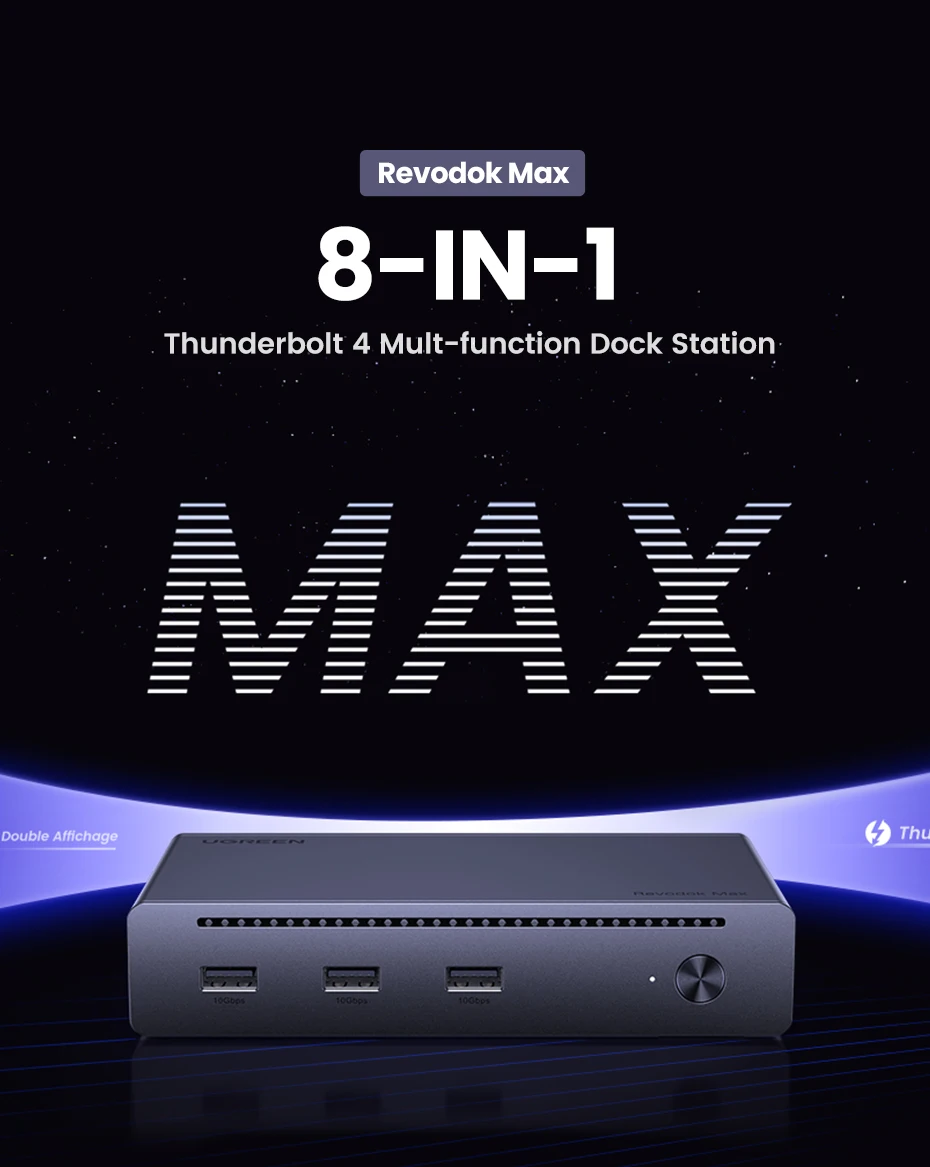
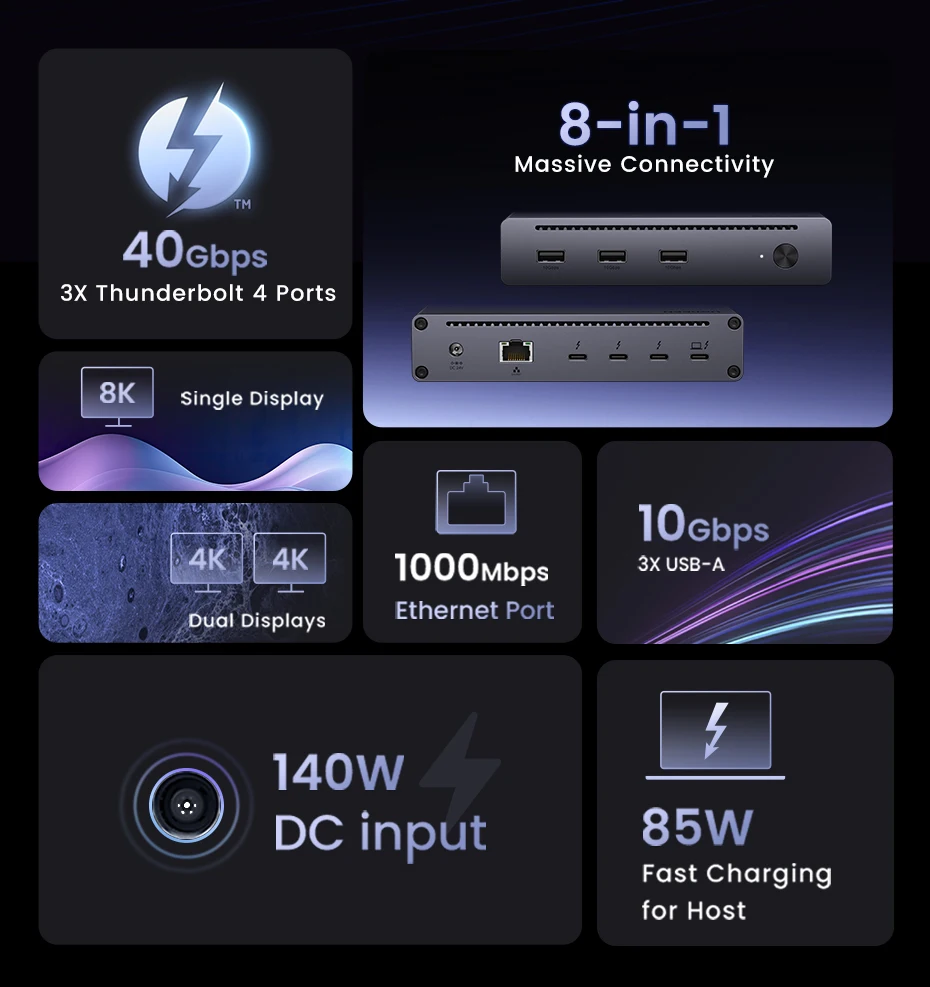
ការពង្រីកដ៏ធំសម្បើម 8-ក្នុង-1
របៀបបង្ហាញសម្រាប់ Mac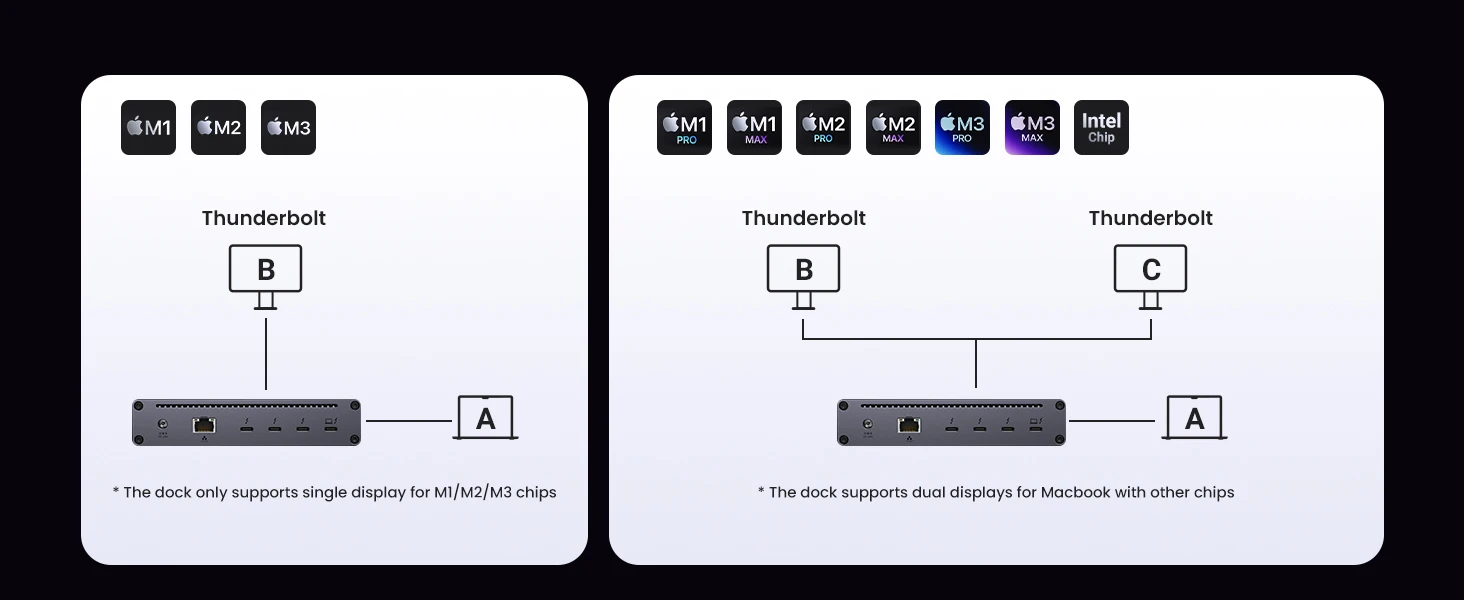
របៀបបង្ហាញសម្រាប់ Windows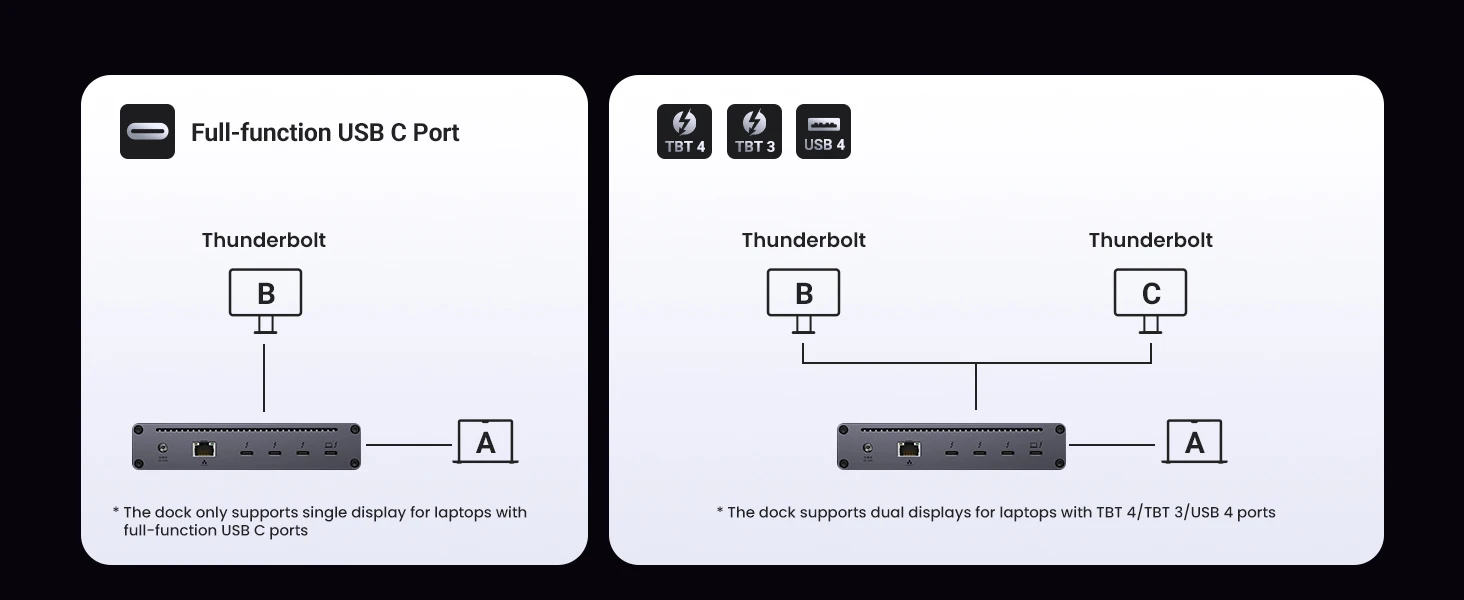
រន្ធ Ethernet 1000Mbps ការតភ្ជាប់អ៊ីនធឺណិតល្បឿនលឿន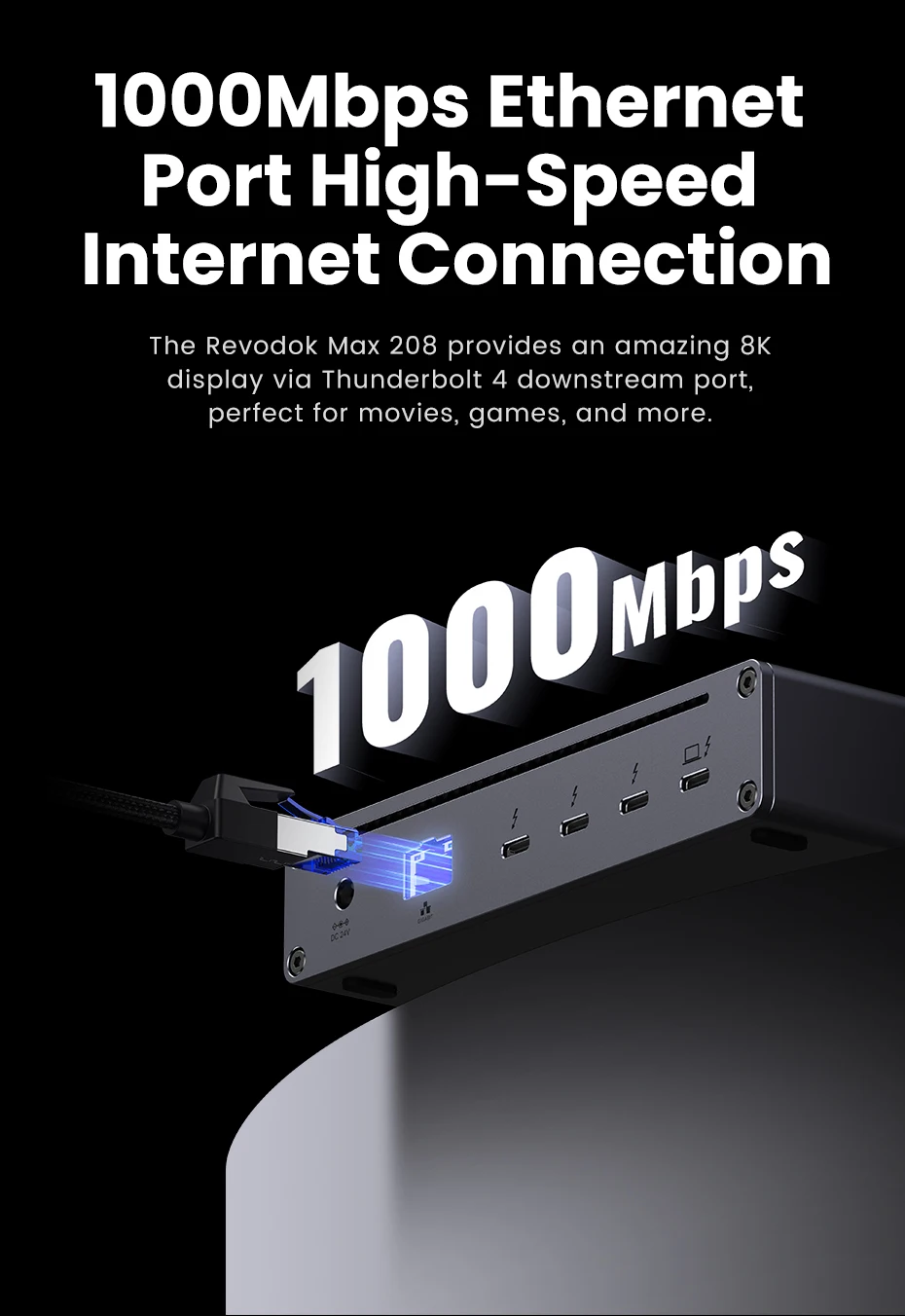
ប្រព័ន្ធត្រជាក់ដែលបានធ្វើឱ្យប្រសើរឡើង
ការរចនាលំដាប់ខ្ពស់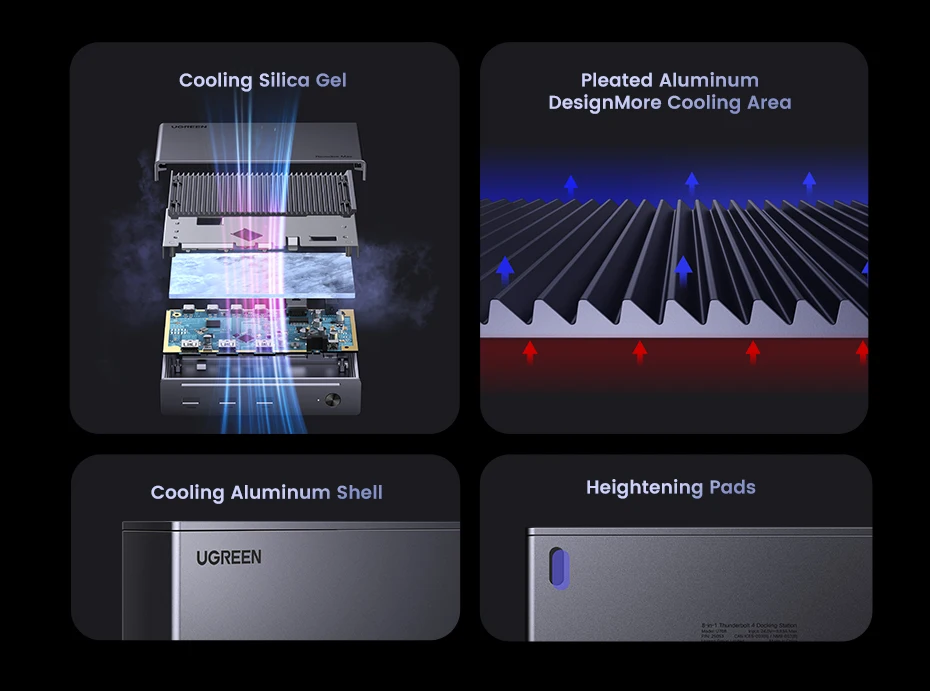
ភាពឆបគ្នាយ៉ាងទូលំទូលាយ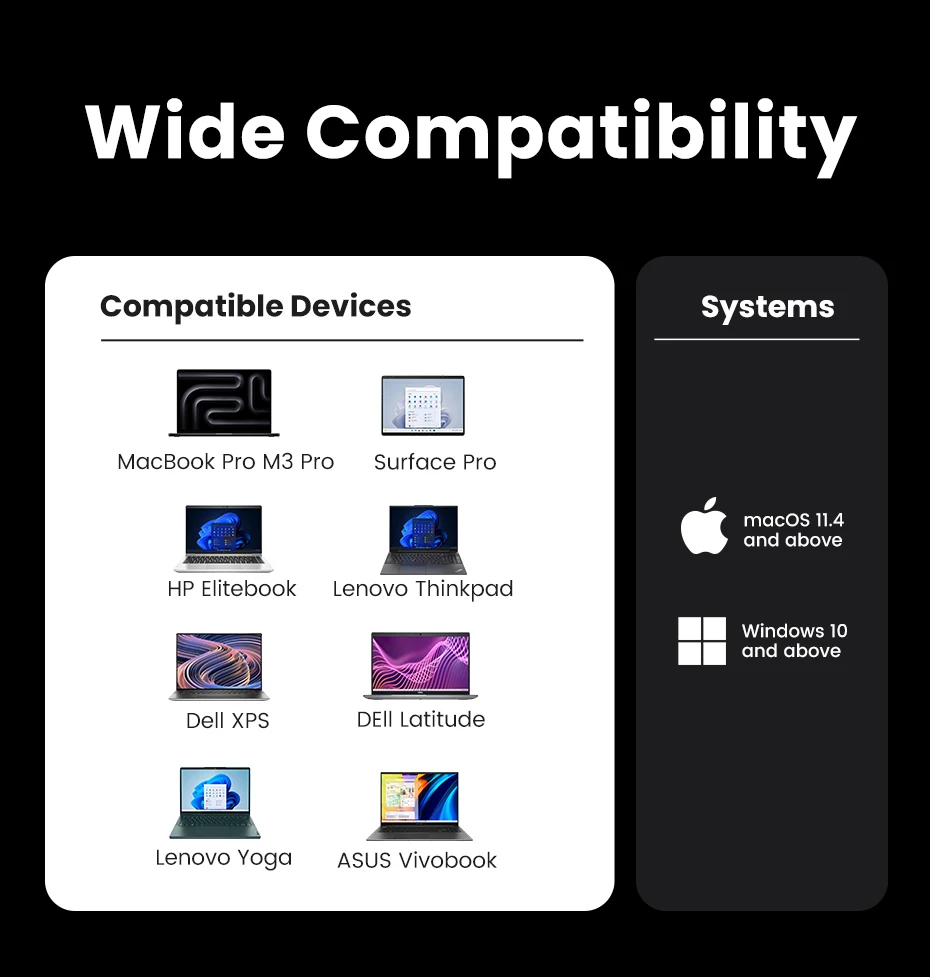
លក្ខណៈបច្ចេកទេសផលិតផល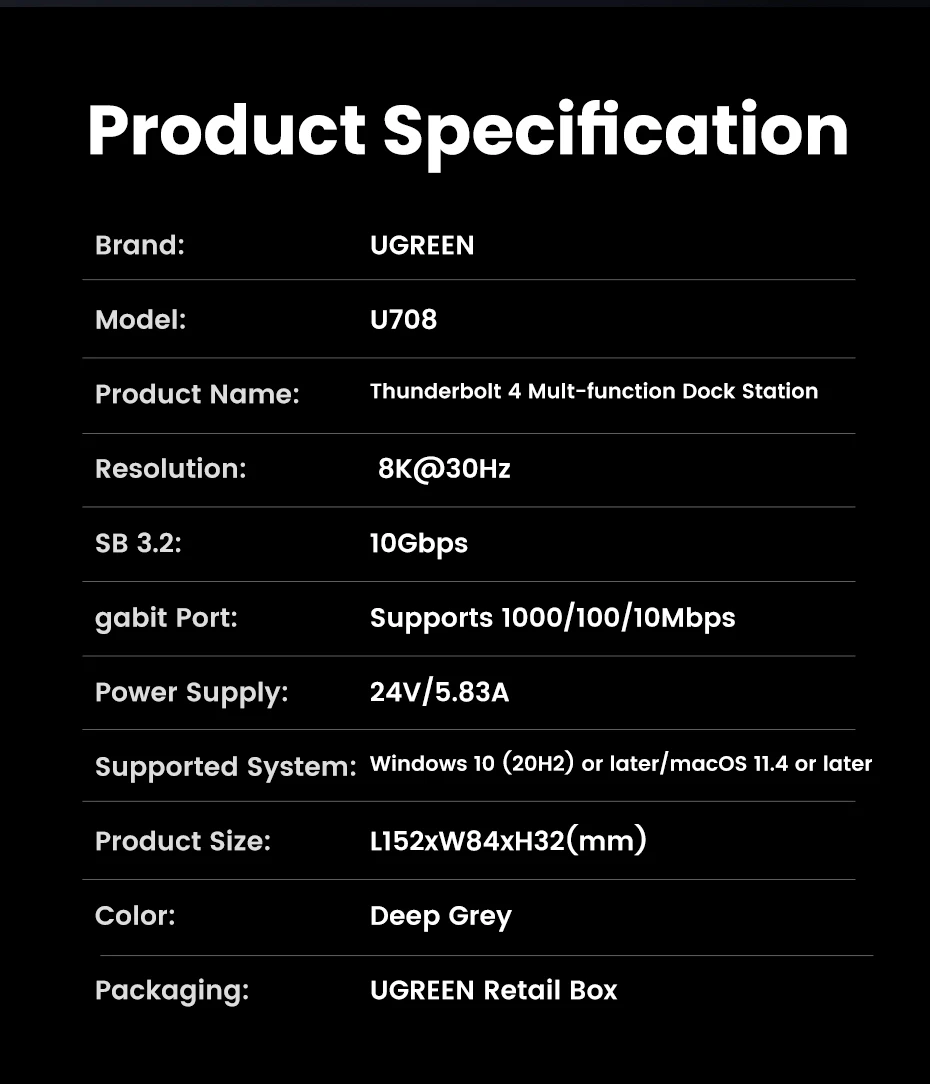
មានអ្វីនៅក្នុងប្រអប់?
①១*UGREEN Revdock Max 208 Thunderbolt 4 Dock
②ឧបករណ៍ភ្ជាប់ថាមពល GaN ១*១៤០វ៉ាត់
ខ្សែ Thunderbolt 4 ទំហំ 1*0.8 ម៉ែត្រ ③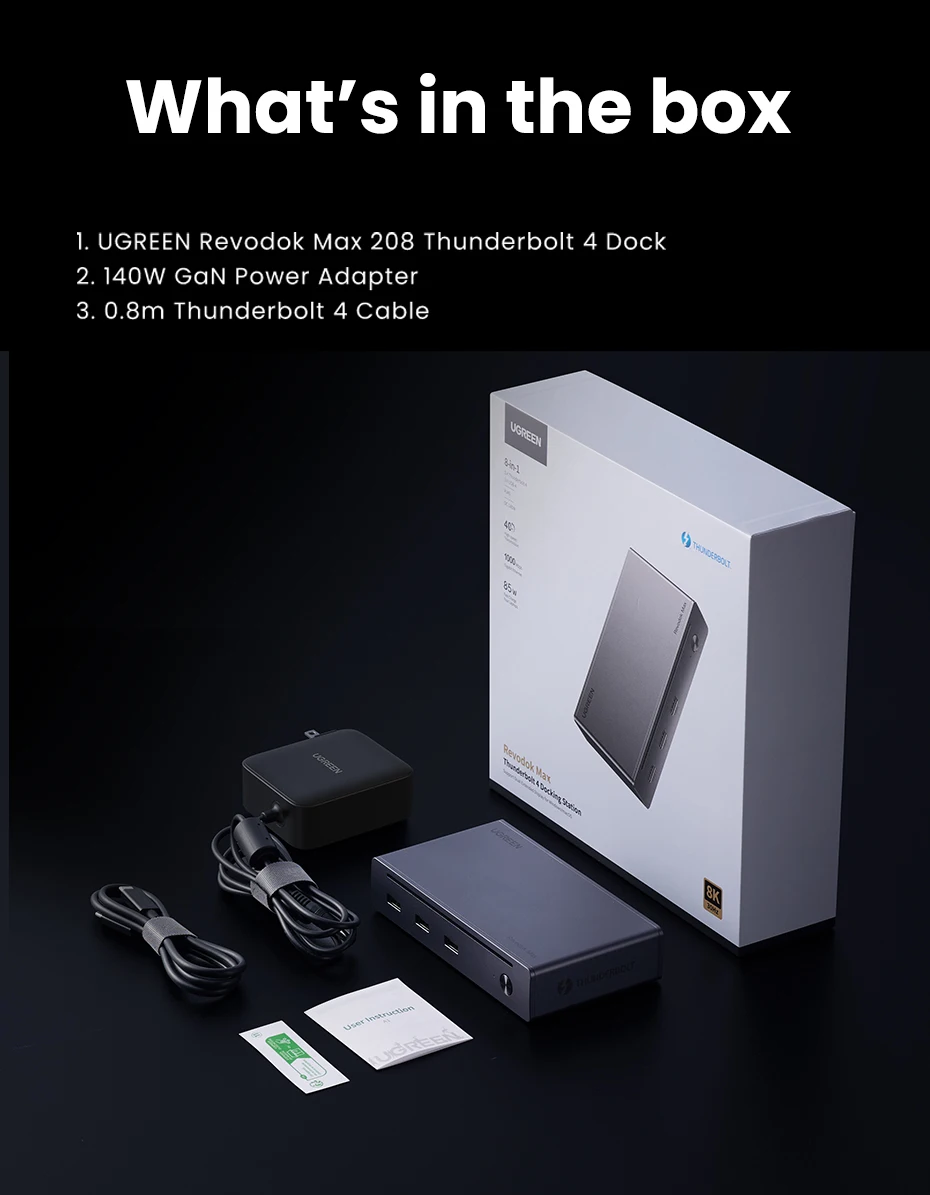
សំណួរទី 1៖ តើឧបករណ៍ភ្ជាប់ Thunderbolt 4 នេះអាចដំណើរការដោយគ្មាន ឆ្នាំងសាក?
A1: ទេ អ្នកត្រូវតែភ្ជាប់ឆ្នាំងសាក GaN EU 140W ដែលភ្ជាប់មកជាមួយ ដើម្បីឱ្យឧបករណ៍ភ្ជាប់ដំណើរការ។
សំណួរទី ២៖ ហេតុអ្វីបានជាមានអេក្រង់តែមួយដំណើរការនៅពេលដែលម៉ូនីទ័រពីរត្រូវបានភ្ជាប់?
A2: 1) តែនៅពេលដែលស្ថានីយចតត្រូវបានភ្ជាប់ទៅ Thunderbolt ប៉ុណ្ណោះ 4/Thunderbolt3 ឬរន្ធ USB 4 តើវាអាចគាំទ្រអេក្រង់ពីរបានទេ។
២) នៅពេលដែល Macbook ឬថេប្លេត M1/M2/M3 ឬកុំព្យូទ័រ USB-C ដែលមានមុខងារពេញលេញត្រូវបានភ្ជាប់ វាគាំទ្រតែអេក្រង់តែមួយប៉ុណ្ណោះ។
សំណួរទី 3៖ តើខ្ញុំអាចប្រើឧបករណ៍ផ្ទុកទិន្នន័យបានប៉ុន្មានក្នុងពេលតែមួយ?
A3: ប្រសិនបើអ្នកប្រើ HDD វាត្រូវបានណែនាំឱ្យប្រើរហូតដល់ 2 ក្នុងពេលដំណាលគ្នា ប្រសិនបើអ្នកប្រើ SSD វាត្រូវបានណែនាំឱ្យប្រើរហូតដល់ 3 ក្នុងពេលដំណាលគ្នា។ ដោយសារតែយន្តការការពារការផ្ទុកលើសទម្ងន់ ការប្រើប្រាស់ឧបករណ៍ផ្ទុកច្រើនពេកក្នុងពេលដំណាលគ្នាអាចបណ្តាលឱ្យការងារផលិតផលមិនស្ថិតស្ថេរ។
សំណួរទី៤៖ ហេតុអ្វីបានជាក្តារចុចដែលភ្ជាប់ Dock របស់ខ្ញុំមិនដាស់ Macbook របស់ខ្ញុំនៅពេលវាដេក?
A4: នៅពេលដែល Mac ចូលទៅក្នុងរបៀបគេងអស់រយៈពេលជាងពីរម៉ោង អ្នកត្រូវចុចពីរដងជំនួសឱ្យការចុចគ្រាប់ចុចណាមួយនៅលើក្តារចុចដើម្បីដាស់វាឡើង។
សំណួរទី៥៖ របៀបដោះស្រាយជាមួយអេក្រង់ខ្មៅ និងអេក្រង់ភ្លឹបភ្លែតៗ នៅពេលភ្ជាប់ទៅឧបករណ៍ខាងក្រៅ ម៉ូនីទ័រ?
១) សូមដកឌុយចេញ ហើយដោតរន្ធ Thunderbolt ហើយត្រូវប្រាកដថា មានចន្លោះពេលលើសពី 3 វិនាទី។
២) សូម ព្យាយាមបន្ថយគុណភាពបង្ហាញ និងអត្រាធ្វើឱ្យស្រស់។
៣) សាកល្បង Thunderbolt មួយផ្សេងទៀត ខ្សែ។
៤) ចាប់ផ្ដើមឡើងវិញ កុំព្យូទ័រយួរដៃ។
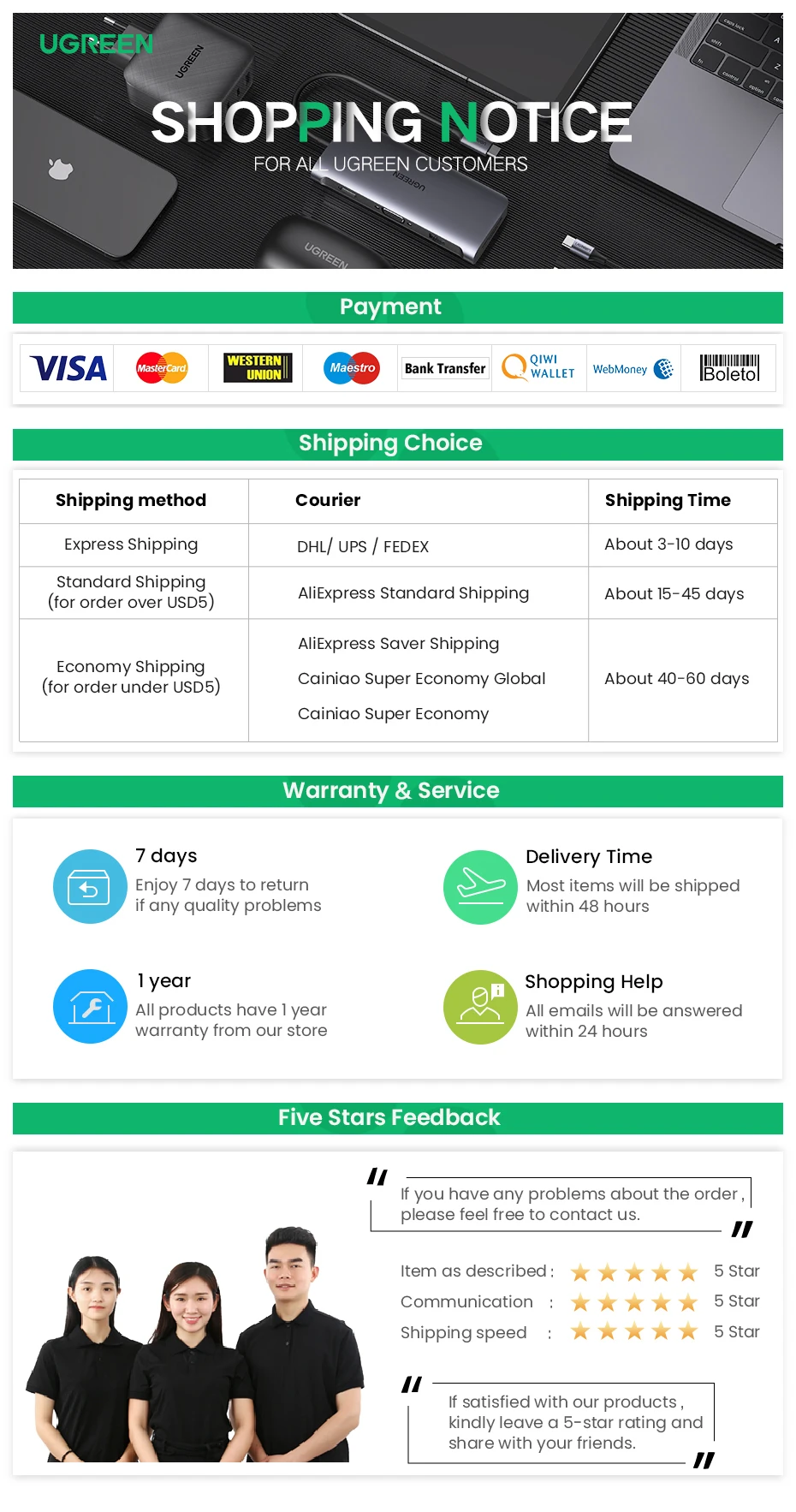
ការធានារបស់ UGREEN & សេវាកម្ម
✔ ប្តូរទំនិញវិញក្នុងរយៈពេល 7 ថ្ងៃ
សូមរីករាយក្នុងការប្តូរទំនិញវិញក្នុងរយៈពេល 7 ថ្ងៃប្រសិនបើមានបញ្ហាគុណភាព
✔ ពេលវេលាដឹកជញ្ជូន ៤៨ ម៉ោង
ទំនិញភាគច្រើននឹងត្រូវបានដឹកជញ្ជូនក្នុងរយៈពេល ៤៨ ម៉ោង
✔ ការធានារយៈពេល ១ ឆ្នាំ
ផលិតផលទាំងអស់មានការធានារយៈពេល ១ ឆ្នាំពីហាងរបស់យើង
✔ សេវាកម្មអនឡាញ ២៤ ម៉ោង
អ៊ីមែលទាំងអស់នឹងត្រូវបានឆ្លើយតបក្នុងរយៈពេល ២៤ ម៉ោង