Skip to content
Original price $0.00 - Original price $0.00
Original price $0.00
$31.45
$15.15 - $31.45
Current price $31.45
Availability:
Out of stock
Availability:
196 in stock, ready to be shipped
Availability:
192 in stock, ready to be shipped
Availability:
194 in stock, ready to be shipped
Availability:
187 in stock, ready to be shipped
Rated Current: 4P 80A

កុងតាក់បញ្ជាពីចម្ងាយឥតខ្សែឆ្លាតវៃ GEYA GTS8-W ដោយប្រើ Tuya APP AC220V 40A 63A 80A

by ដោយ GEYA

All prices exclude shipping Customs and taxes. តម្លៃទាំងអស់មិនរួមបញ្ចូលថ្លៃដឹកជញ្ជូន គយ និងពន្ធទេ។

Choose language

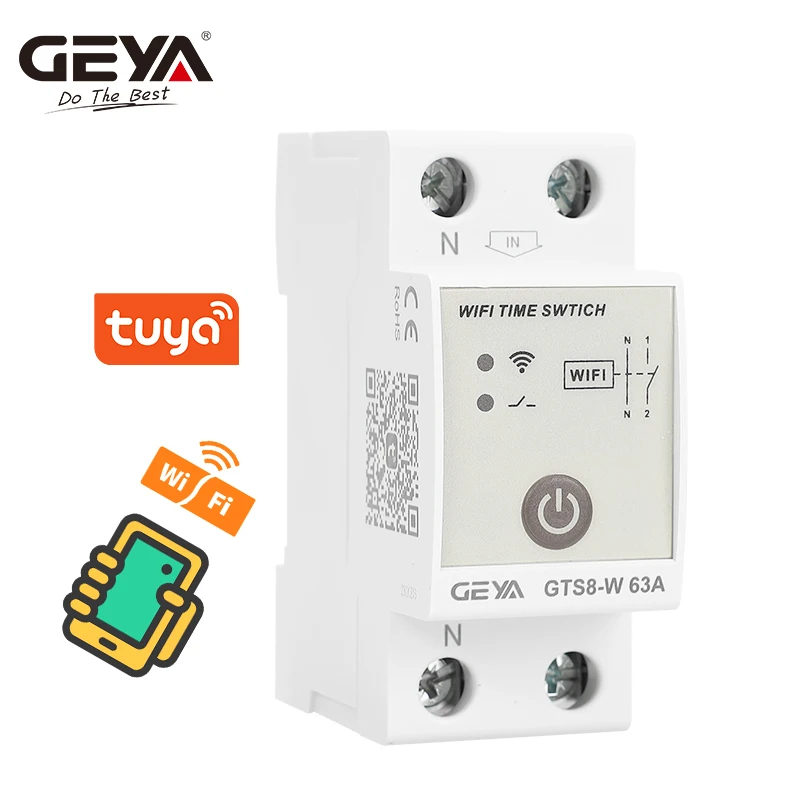
GEYA GTS8-W Intelligent WIFI DIN Rail Smart Home Wireless Remote Control Switch by Tuya APP AC220V 40A 63A 80A

SPECIFICATIONS

Brand Name: GEYA

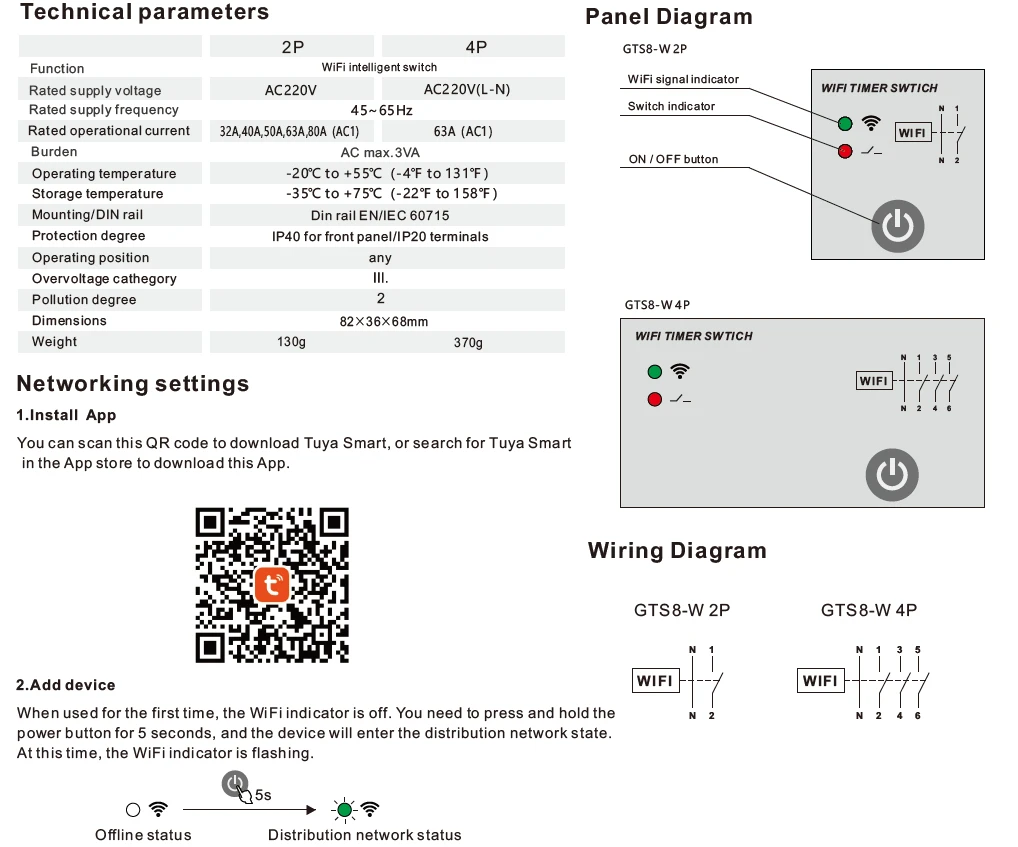
Burden: AC max.3VA

Certification: CE

Choice: yes

Does it include a Battery?: No

Does it include wireless functionality?: No

EU LVD Voltage: Low voltage: Below 50Vac or 75Vdc

Function: GTS8-W Smart Wifi Timer Switch

High-concerned chemical: none

Is Smart Device: Yes

Item: 2POLE, 4POLE

Model Number: GTS8-W Intelligent Wifi Time Switch

Mounting: Din Rail

Origin: Mainland China

Rated Frequency: 45~65Hz

Rated Voltage: 220V

Rated operational current: 40A,63A,80A (AC1)

Rated supply voltage: AC220V, AC220V(L-N)

Type: Mini,Circuit breaker

is_customized: Yes

GEYA GTS8-W Intelligent Wifi Time Switch DIN Rail Type Smart Home Wireless Remote Control Switch by Tuya APP AC220V 40A 63A 80A  2POLE&4POLE

General

Applications
--It turns on and off the load periodically and regularly, and usually controls household equipment such as lights and appliances.
Function Features
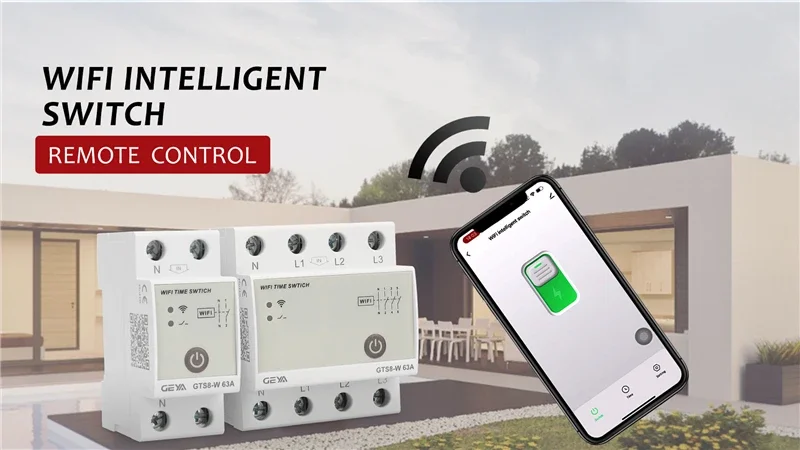
-Support access to Tuya's App Tuya smart.
-The on and off time of the load can be conveniently set through the App.
-On and off can be controlled manually.
-The cycle on / off can be set during the on time.
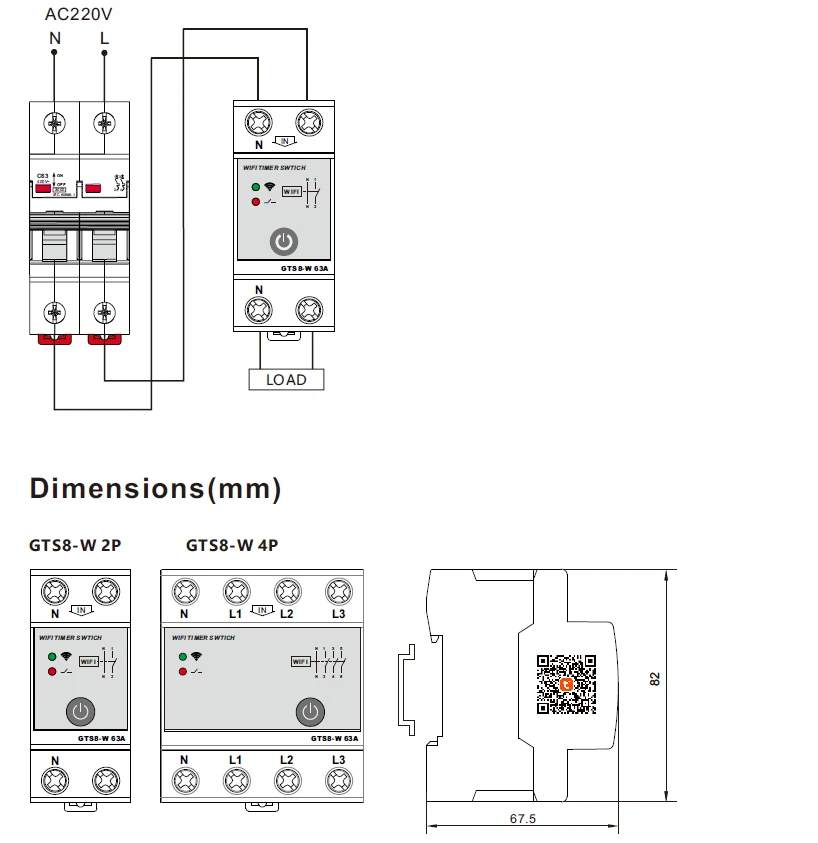
-1-MODULE,DIN rail mounting.

Networking settings
1. Install App You can scan this QR code to download Tuya Smart or search for Tuya Smart in the App store to download this App.
2. Add a device When used for the first time, the WiFiindicator is off. You need to press and hold the power button for5 seconds, and the device will enter the distribution network state. At this time, the WiFi indicator is flashing.
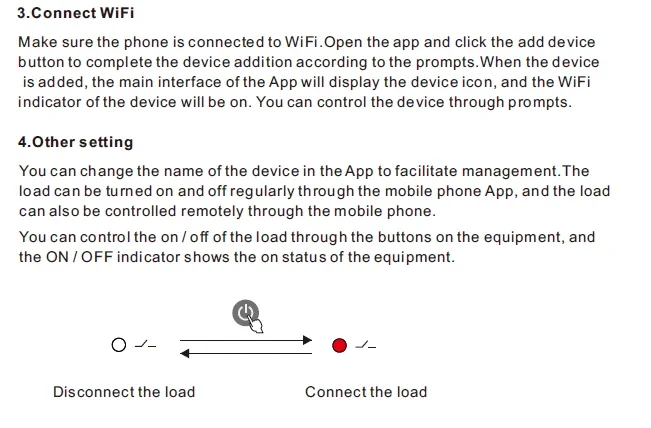
3. Connect WiFi Make sure the phone is connected to WiFi.Open the app and click the add device button to complete the device addition according to the prompts. When the device is added, the main interface of the App will display the device icon, and the WiFi indicator of the device will be on. You can control the device through prompts.
4. Other settings You can change the name of the device in the App to facilitate management. The load can be turned on and off regularly through the mobile phone App, and the load can also be controlled remotely through the mobile phone. You can control the on/off of the load through the buttons on the equipment, and the ON/OFF indicator shows the on status of the equipment.

Technical Data


Back to GEYA Store Top Selling Products

Company Information


Compare products

{"one"=>"Select 2 or 3 items to compare", "other"=>"{{ count }} of 3 items selected"}

Select first item to compare

Select second item to compare

Select third item to compare

Compare