Skip to content

DJI Osmo Mobile 6 DJI OM 6 ស្ថេរភាព 3 អ័ក្ស ចល័ត និងអាចបត់បាន ការបង្រៀនងាយៗ និងការកែសម្រួលដោយគ្រាន់តែប៉ះ DJI OM6 ដើម

by ដោយ DARAHUB Store
Original price $0.00 - Original price $0.00
Original price $0.00
$302.50
$172.50 - $302.50
Current price $302.50
Availability:
49 in stock, ready to be shipped
Availability:
35 in stock, ready to be shipped
Color: Osmo Mobile 7P

DJI Osmo Mobile 6 DJI OM 6 3-Axis Stabilization Portable and Foldable Launch Easy Tutorials and One-Tap Editing DJI OM6 Original

All prices exclude shipping Customs and taxes. តម្លៃទាំងអស់មិនរួមបញ្ចូលថ្លៃដឹកជញ្ជូន គយ និងពន្ធទេ។

DJI Osmo Mobile 6 DJI OM 6 ស្ថេរភាព 3 អ័ក្ស ចល័ត និងអាចបត់បាន ការបង្រៀនងាយៗ និងការកែសម្រួលដោយគ្រាន់តែប៉ះ DJI OM6 ដើម

លក្ខណៈបច្ចេកទេស

ឈ្មោះម៉ាក៖ DJI

ម៉ាកហ្គីមបលដែលឆបគ្នា៖ DJI Osmo Mobile 6

ម៉ូដែលហ្គីមបលដែលឆបគ្នា៖ DJI Osmo Mobile 6

ប្រភេទគ្រឿងបន្លាស់ហ្គីមបល៖ បង្គោល

សារធាតុគីមីដែលមានការព្រួយបារម្ភខ្ពស់៖ គ្មាន

លេខម៉ូដែល៖ OM 6

ប្រភពដើម៖ ដីគោក ប្រទេសចិន

កញ្ចប់៖ បាទ/ចាស៎

មើលឲ្យកាន់តែច្បាស់

ស្ថេរភាពគ្មានការបាត់បង់
ថតបានរលូន ងាយស្រួលផ្លាស់ទី ការបង្កើតដែលគួរឱ្យចាប់អារម្មណ៍ និងគួរឱ្យស្ញប់ស្ញែង។ បច្ចេកវិទ្យាស្ថេរភាពកម្រិតខ្ពស់របស់ DJI ផ្តល់នូវលទ្ធផលគ្មានការញ័រនៅចុងម្រាមដៃរបស់អ្នក។
ដោះសោមុំថតបានកាន់តែច្រើន
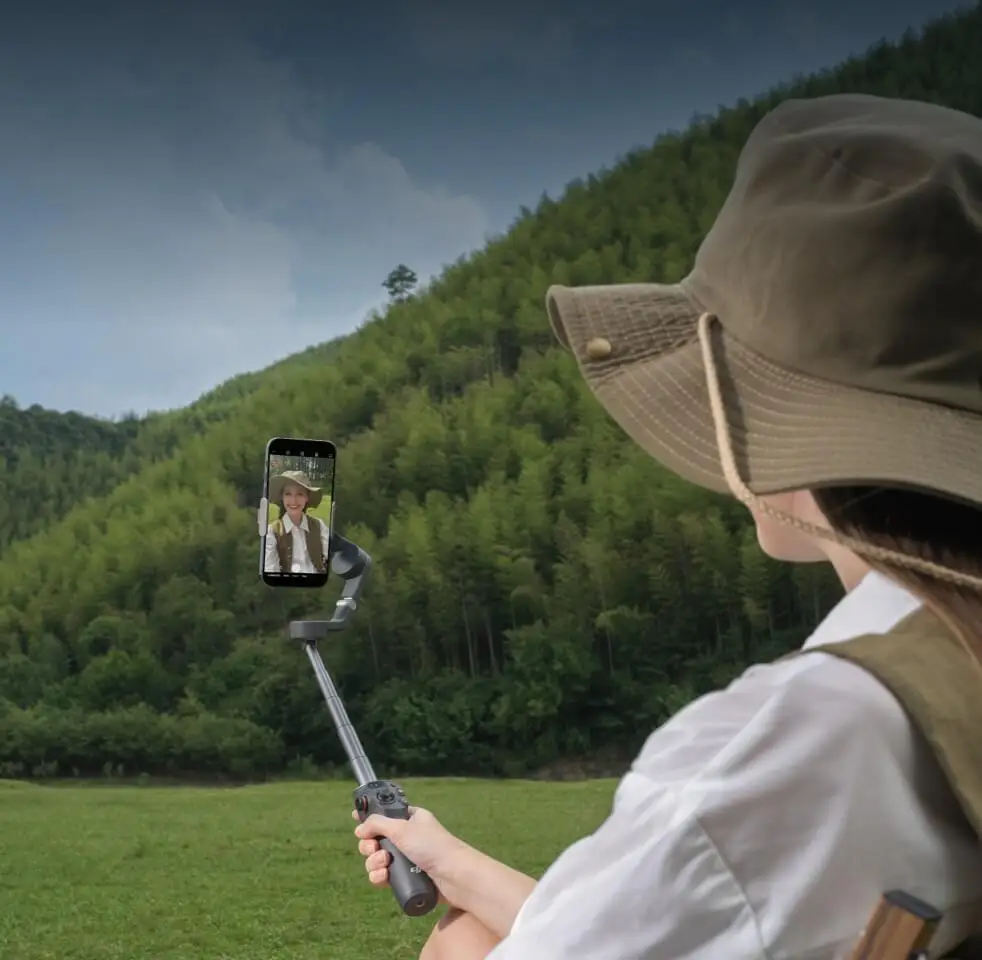
ពង្រីករហូតដល់ 215 ម.ម សម្រាប់ការថតខ្ពស់ ឬទាប។ ដំបងពង្រីកដែលភ្ជាប់មកជាមួយអនុញ្ញាតឱ្យអ្នករួមបញ្ចូលមិត្តភក្តិ សត្វចិញ្ចឹម និងទេសភាពកាន់តែច្រើននៅក្នុងការថតរូប Selfie របស់អ្នក។
ចាប់ផ្តើមរហ័ស លែងមានការរំខានទៀតហើយ
លាតហ្គីមបលដើម្បីបើក។ ភ្ជាប់ដោយម៉ាញេទិក ហើយចាប់ផ្តើមថតភ្លាមៗនៅពេលដែលមានការបំផុសគំនិតកើតឡើង។
ActiveTrack 5.0, រក្សាកណ្តាល
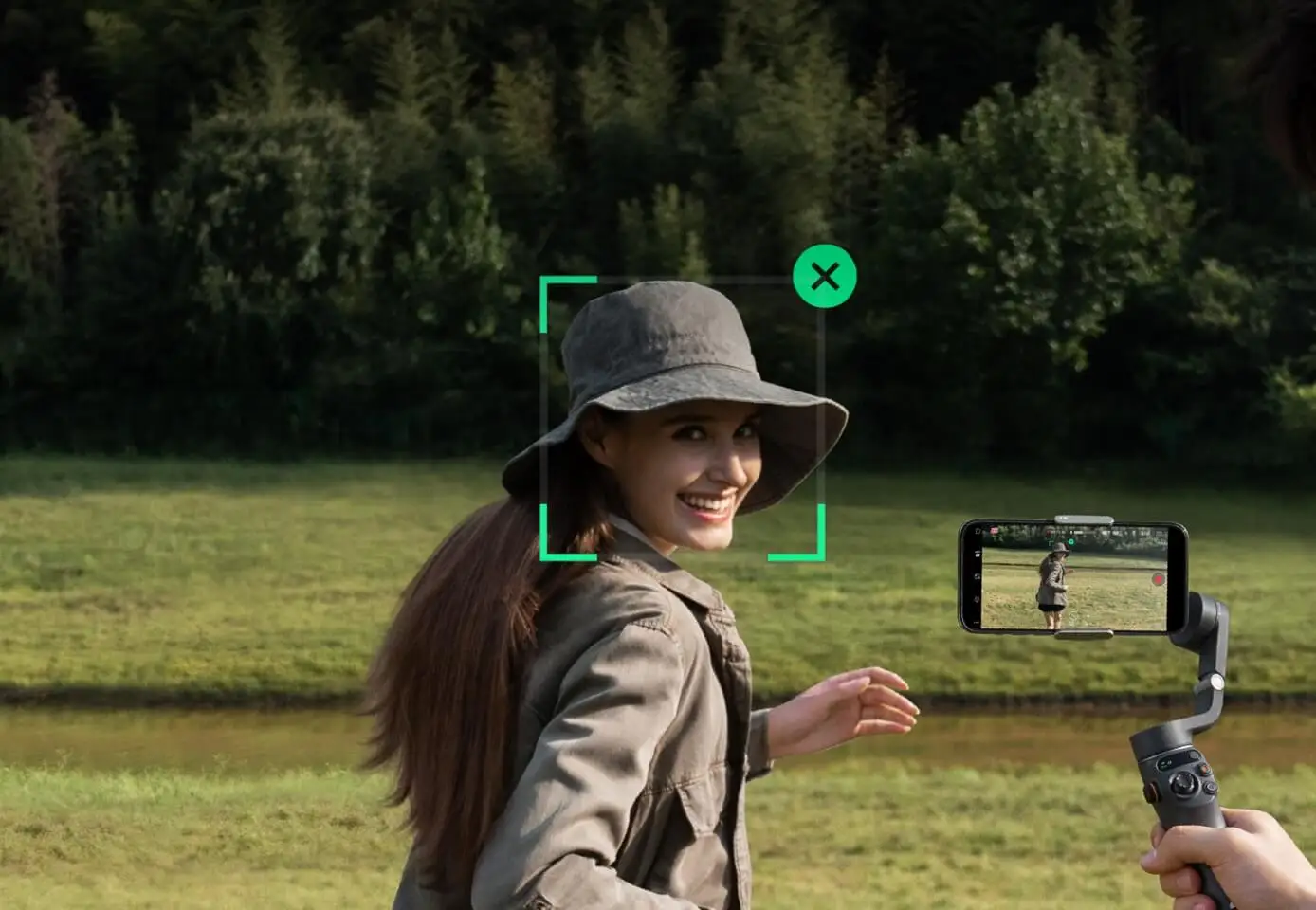
តាមដានយ៉ាងរឹងមាំពីចម្ងាយឆ្ងាយ ActiveTrack 5.0 ក៏គាំទ្រការតាមដានកាមេរ៉ាខាងមុខសូម្បីតែពីចំហៀង ឬវិលជុំវិញក៏ដោយ។
ការបង្រៀន និងការកែសម្រួលដោយចុចតែម្តង
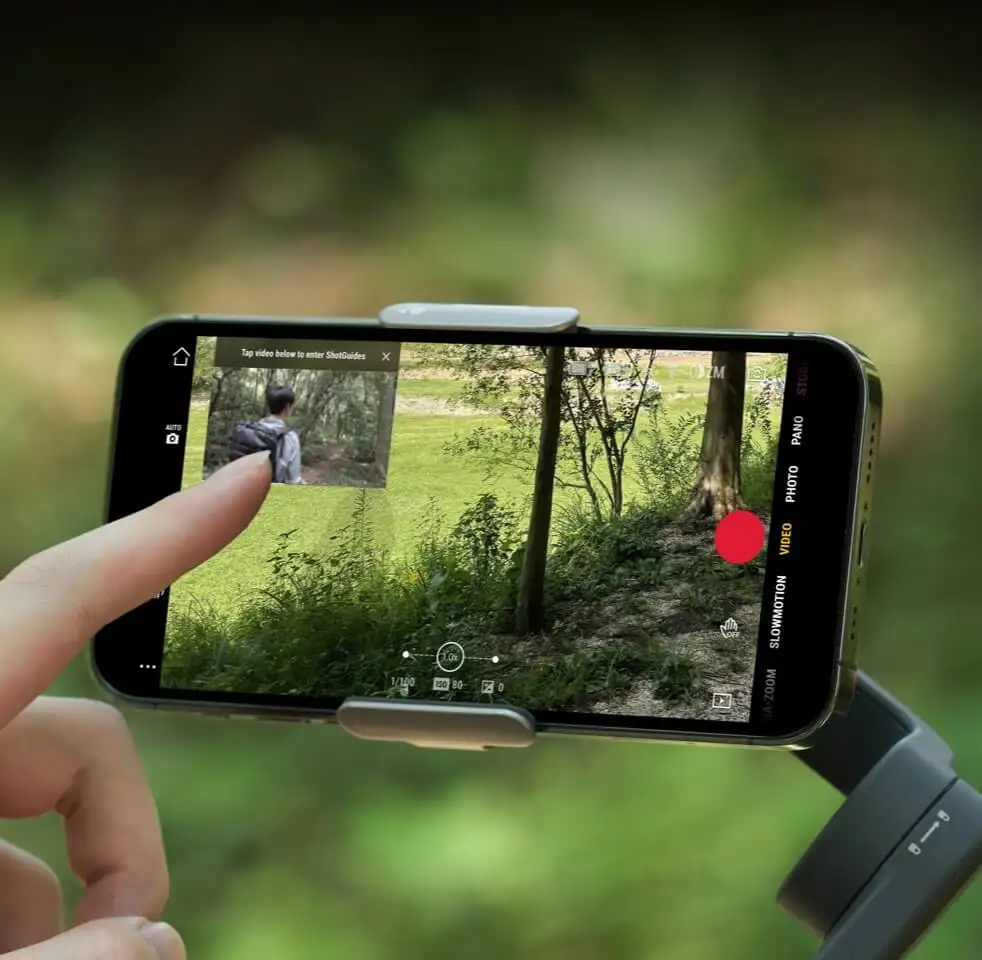
ថត និងកែសម្រួលដោយងាយស្រួលជាមួយ DJI Mimo និង LightCut។ ហើយទទួលបានលំដាប់នៃការថតដែលបានណែនាំ និងការបង្រៀនដោយផ្អែកលើខ្លឹមសាររបស់អ្នកជាមួយ ShotGuides។


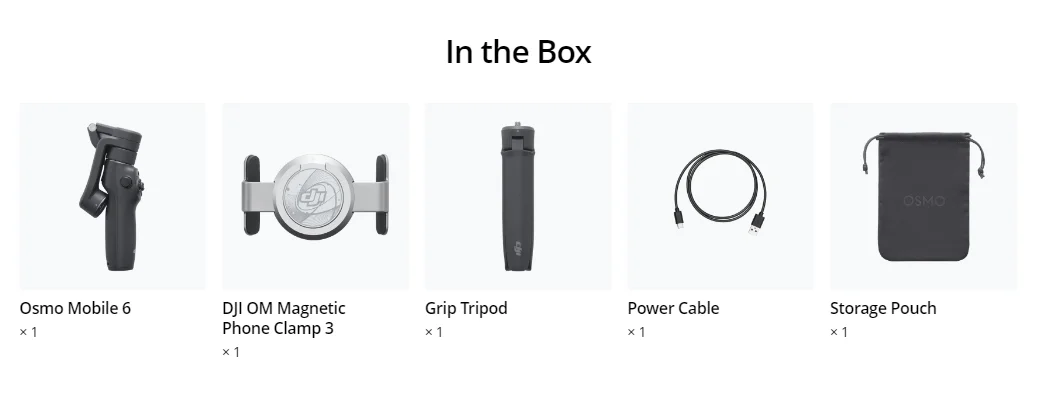
នៅក្នុងប្រអប់

Osmo Mobile 6× 1
ក្លីបទូរស័ព្ទម៉ាញេទិក DJI OM 3× 1
ជើងកាមេរ៉ា × 1
ខ្សែថាមពល × 1
កាបូបសម្រាប់ដាក់ឥវ៉ាន់ × 1


ទិដ្ឋភាពទូទៅ

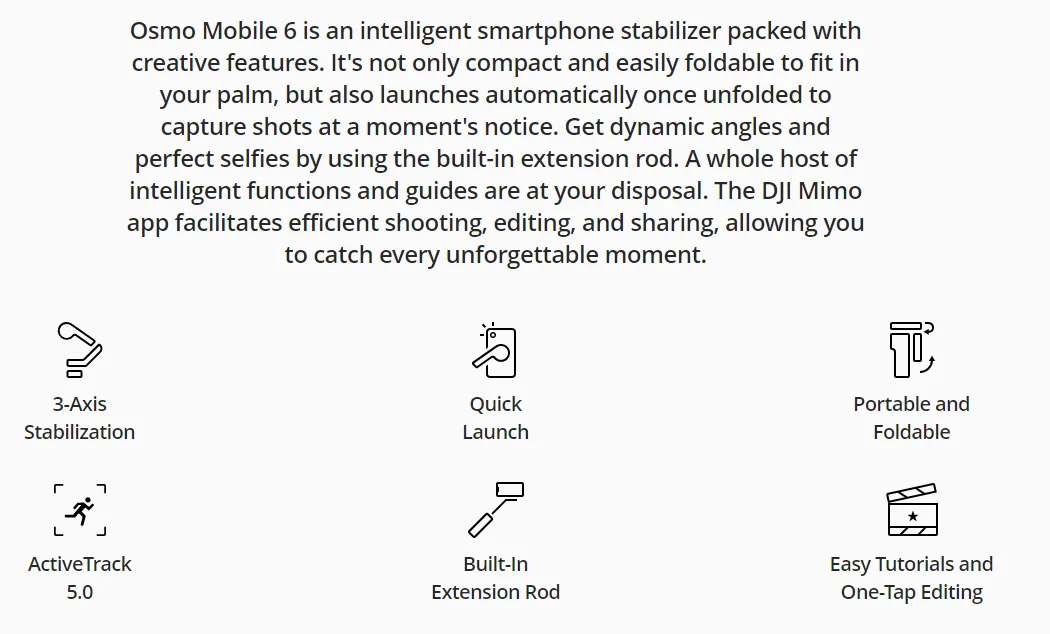
Osmo Mobile 6 គឺជាឧបករណ៍រក្សាលំនឹងស្មាតហ្វូនឆ្លាតវៃដែលពោរពេញទៅដោយភាពច្នៃប្រឌិត លក្ខណៈពិសេស។ វាមិនត្រឹមតែតូច និងងាយស្រួលបត់ឱ្យសមនឹងបាតដៃរបស់អ្នកប៉ុណ្ណោះទេ ប៉ុន្តែវាថែមទាំងបើកដោយស្វ័យប្រវត្តិនៅពេលដែលលាតចេញ ដើម្បីថតរូបភ្លាមៗ។ ទទួលបានមុំឌីណាមិក និងរូបថត Selfie ដ៏ល្អឥតខ្ចោះដោយប្រើដំបងពង្រីកដែលភ្ជាប់មកជាមួយ។ មុខងារ និងមគ្គុទ្ទេសក៍ឆ្លាតវៃជាច្រើនមានសម្រាប់អ្នក។ កម្មវិធី DJI Mimo ជួយសម្រួលដល់ការថត ការកែសម្រួល និងការចែករំលែកប្រកបដោយប្រសិទ្ធភាព ដែលអនុញ្ញាតឱ្យអ្នកចាប់យករាល់ពេលវេលាដែលមិនអាចបំភ្លេចបាន។


ត្រៀមខ្លួនរួចរាល់ហើយ... ស្ថិរភាព... ទៅ!
តូច និងងាយស្រួលយកតាមខ្លួន
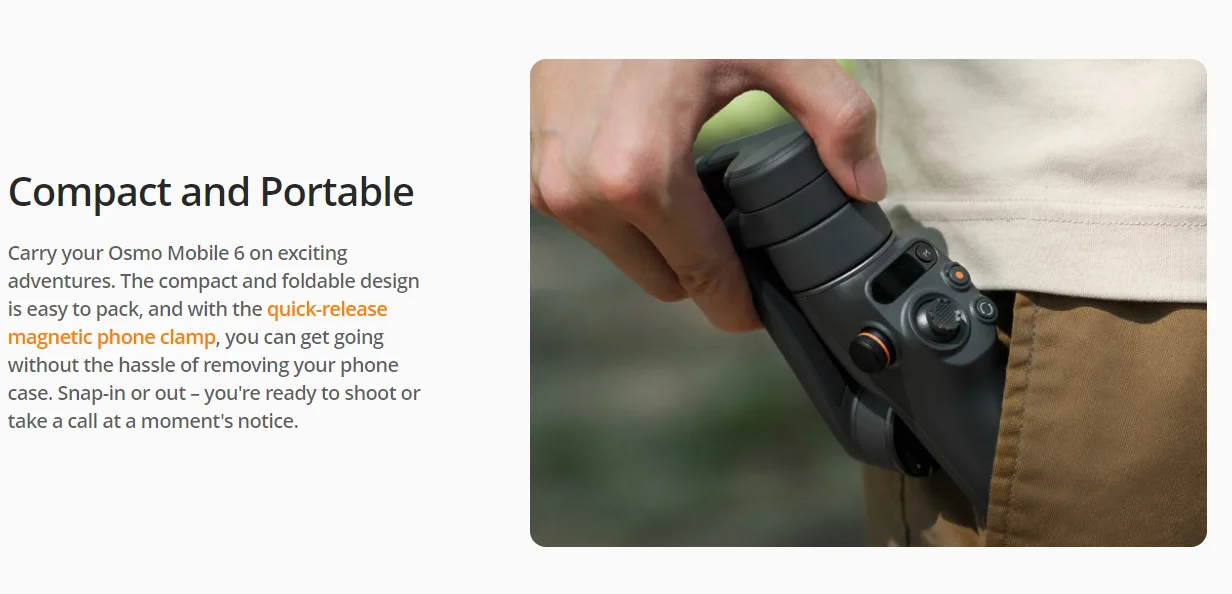
យក Osmo Mobile 6 របស់អ្នកទៅជាមួយក្នុងដំណើរផ្សងព្រេងដ៏គួរឱ្យរំភើប។ ការរចនាតូច និងអាចបត់បានងាយស្រួលវេចខ្ចប់ ហើយជាមួយនឹងដង្កៀបទូរស័ព្ទម៉ាញ៉េទិចដែលអាចដោះចេញបានយ៉ាងរហ័ស អ្នកអាចចាប់ផ្តើមដោយមិនចាំបាច់ដកស្រោមទូរស័ព្ទរបស់អ្នកចេញឡើយ។ ងាយស្រួលដាក់ចូល ឬដកចេញ - អ្នករួចរាល់ក្នុងការថត ឬទទួលការហៅទូរស័ព្ទភ្លាមៗ។

បើកដំណើរការរហ័ស
Osmo Mobile 6 បើកភ្លាមៗនៅពេលអ្នកលាតវាចេញ។ គ្រាន់តែដាក់ស្មាតហ្វូនដែលភ្ជាប់គ្នាចូល កម្មវិធី DJI Mimo នឹងលេចឡើងដោយស្វ័យប្រវត្តិ ដែលអនុញ្ញាតឱ្យអ្នកចាប់ផ្តើមថតភ្លាមៗនៅពេលដែលមានការបំផុសគំនិតកើតឡើង។

ស្ថេរភាពអ័ក្ស 3
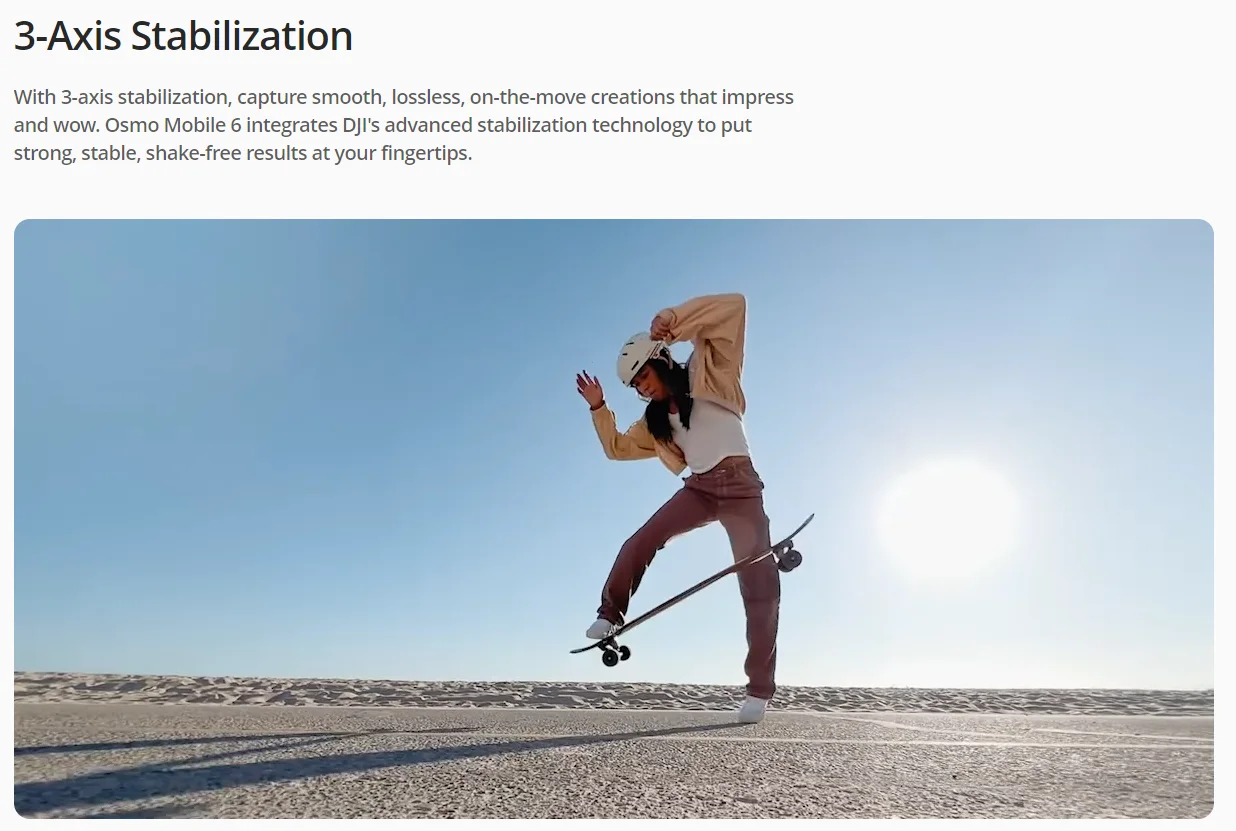
ជាមួយនឹងស្ថេរភាពអ័ក្ស 3 ថតរូបភាពបានយ៉ាងរលូន គ្មានការបាត់បង់ និងអាចថតបានភ្លាមៗ ដែលគួរឱ្យចាប់អារម្មណ៍ និងអស្ចារ្យ។ Osmo Mobile 6 រួមបញ្ចូលបច្ចេកវិទ្យាស្ថេរភាពកម្រិតខ្ពស់របស់ DJI ដើម្បីផ្តល់នូវលទ្ធផលដ៏រឹងមាំ មានស្ថេរភាព និងមិនញ័រនៅចុងម្រាមដៃរបស់អ្នក។


មើលទៅល្អ
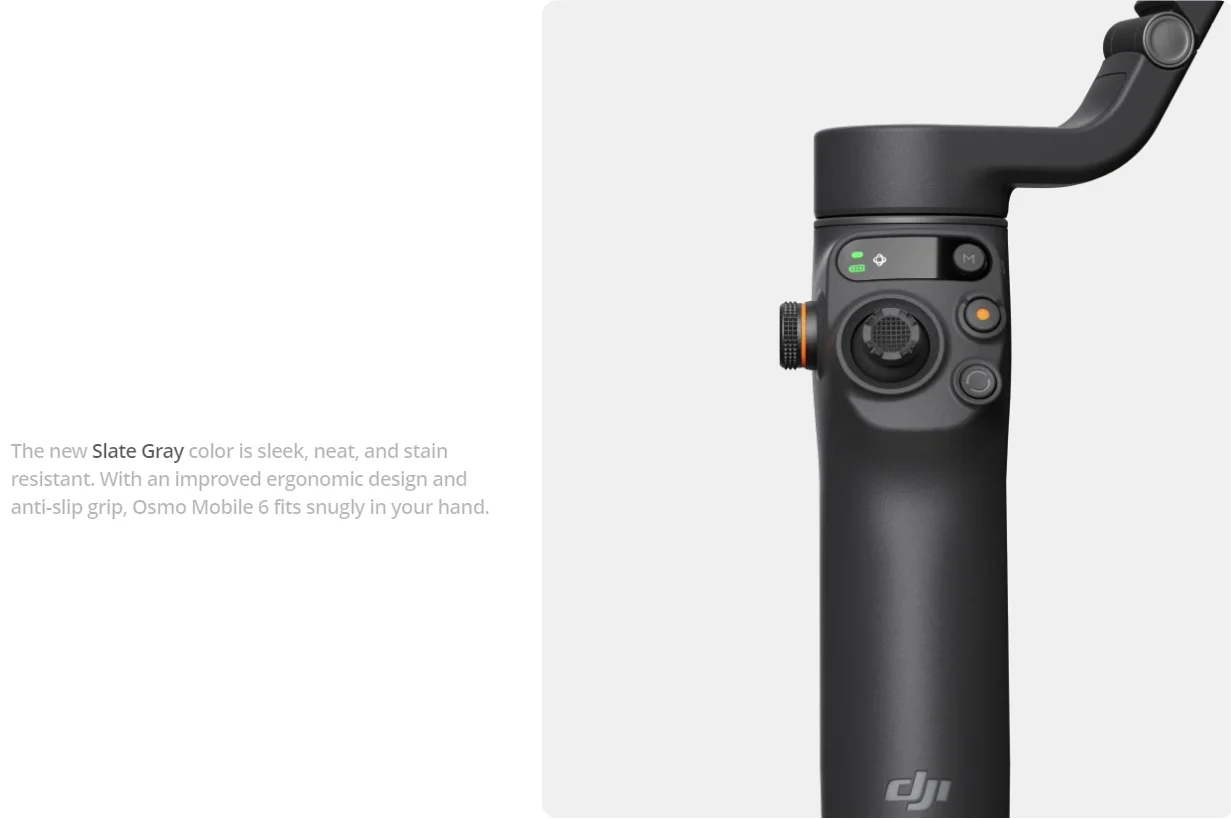
ពណ៌ប្រផេះ Slate Gray ថ្មីគឺរលោង ស្អាត និងធន់នឹងស្នាមប្រឡាក់។ ជាមួយនឹងការរចនា ergonomic ប្រសើរឡើង និងការក្តាប់ប្រឆាំងនឹងការរអិល Osmo Mobile 6 សមល្មមនៅក្នុងដៃរបស់អ្នក។

ប្រតិបត្តិកររលូន
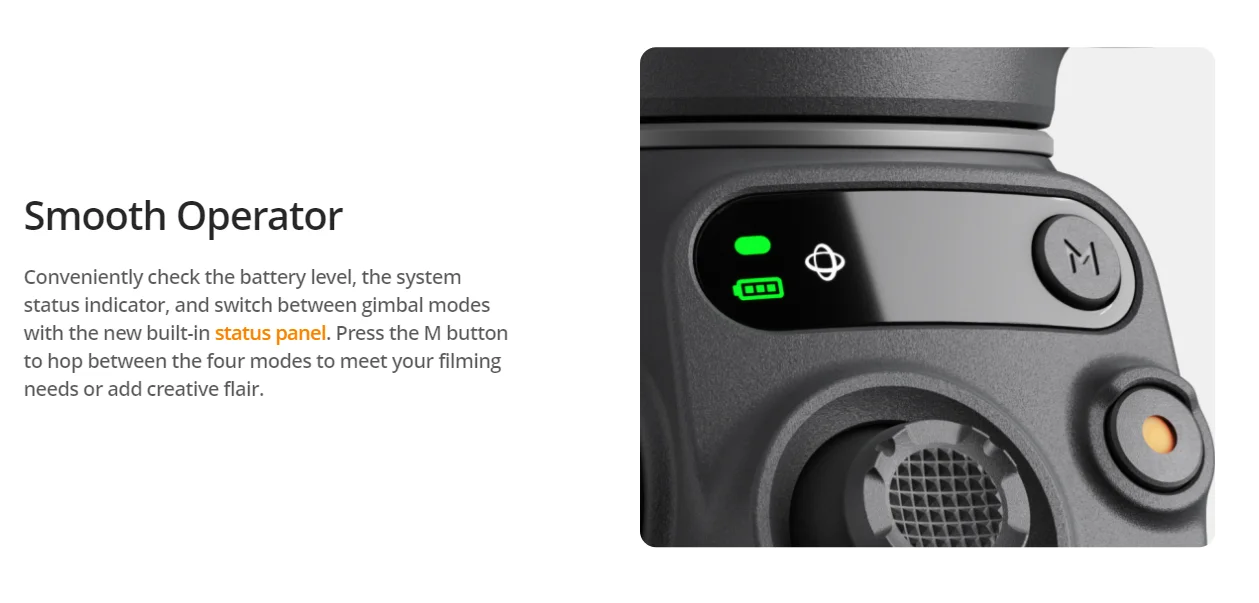
ពិនិត្យមើលកម្រិតថ្ម សូចនាករស្ថានភាពប្រព័ន្ធ និងប្តូររវាងរបៀប gimbal បានយ៉ាងងាយស្រួលជាមួយនឹងបន្ទះស្ថានភាពដែលភ្ជាប់មកជាមួយថ្មី។ ចុច

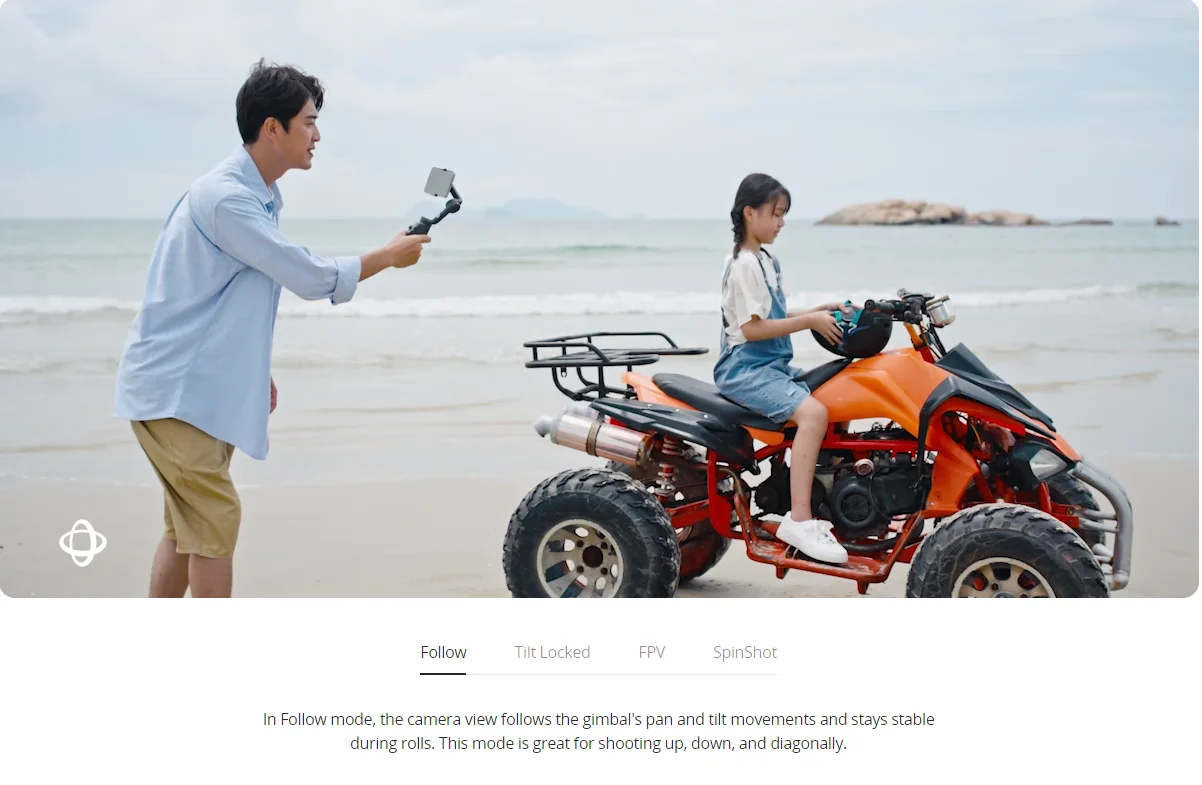
នៅក្នុងរបៀបតាមដាន ទិដ្ឋភាពកាមេរ៉ានឹងធ្វើតាមចលនាបង្វិល និងផ្អៀងរបស់ហ្គីមបល ហើយនៅតែមានស្ថេរភាពអំឡុងពេលរំកិល។ របៀបនេះគឺល្អសម្រាប់ការថតឡើងលើ ចុះក្រោម និងតាមអង្កត់ទ្រូង

ទិដ្ឋភាពកាមេរ៉ាគ្រាន់តែធ្វើតាមចលនាបង្វិលរបស់ហ្គីមបល ហើយនៅតែមានស្ថេរភាពក្នុងអំឡុងពេលផ្អៀង និងវិល—ល្អសម្រាប់ការថតផ្ដេក ឬផ្លាស់ទីជុំវិញវត្ថុ។

នៅក្នុងរបៀប FPV អ័ក្សទាំងបីរបស់ហ្គីមបលធ្វើតាមចលនារបស់តួសំខាន់។ នេះគឺអស្ចារ្យណាស់សម្រាប់ការថតថាមវន្តនៃវត្ថុដែលនៅស្ងៀមដូចជាទីតាំងសម្គាល់ អគារ ឬរូបសំណាក។

គ្រាន់តែរំកិលដើម្បីគ្រប់គ្រង
គ្រប់គ្រងការពង្រីក និងការផ្តោតអារម្មណ៍ដោយរលូន និងរលូនជាមួយកង់ចំហៀងថ្មីរបស់ Osmo Mobile 6។ រំកិលកង់ដើម្បីកែតម្រូវប្រវែងប្រសព្វសម្រាប់សមាសភាពដែលអាចបត់បែនបាន និងពង្រីក និងបង្រួមជាមួយនឹងភាពរលោងដូចប៊ឺ។ ហើយសម្រាប់ការគ្រប់គ្រងភាពយន្តកាន់តែច្រើន សូមចុចកង់ចំហៀងម្តងដើម្បីប្តូរទៅការផ្តោតអារម្មណ៍ដោយដៃ។


លក្ខណៈពិសេសឆ្លាតវៃរួចរាល់ហើយ

Gimbal ជាមួយ Street ភាពឆ្លាតវៃ
បង្វិលពេលវេលា និងលំហជាមួយ Timelapse, Motionlapse និង Hyperlapse។ ជាមួយនឹងគំរូ Motionlapse សាមញ្ញ អ្នកអាចលាយបញ្ចូលគ្នានូវពេលវេលាដ៏ស្រស់ស្អាតទៅជាឈុតវីដេអូគួរឱ្យចាប់អារម្មណ៍។

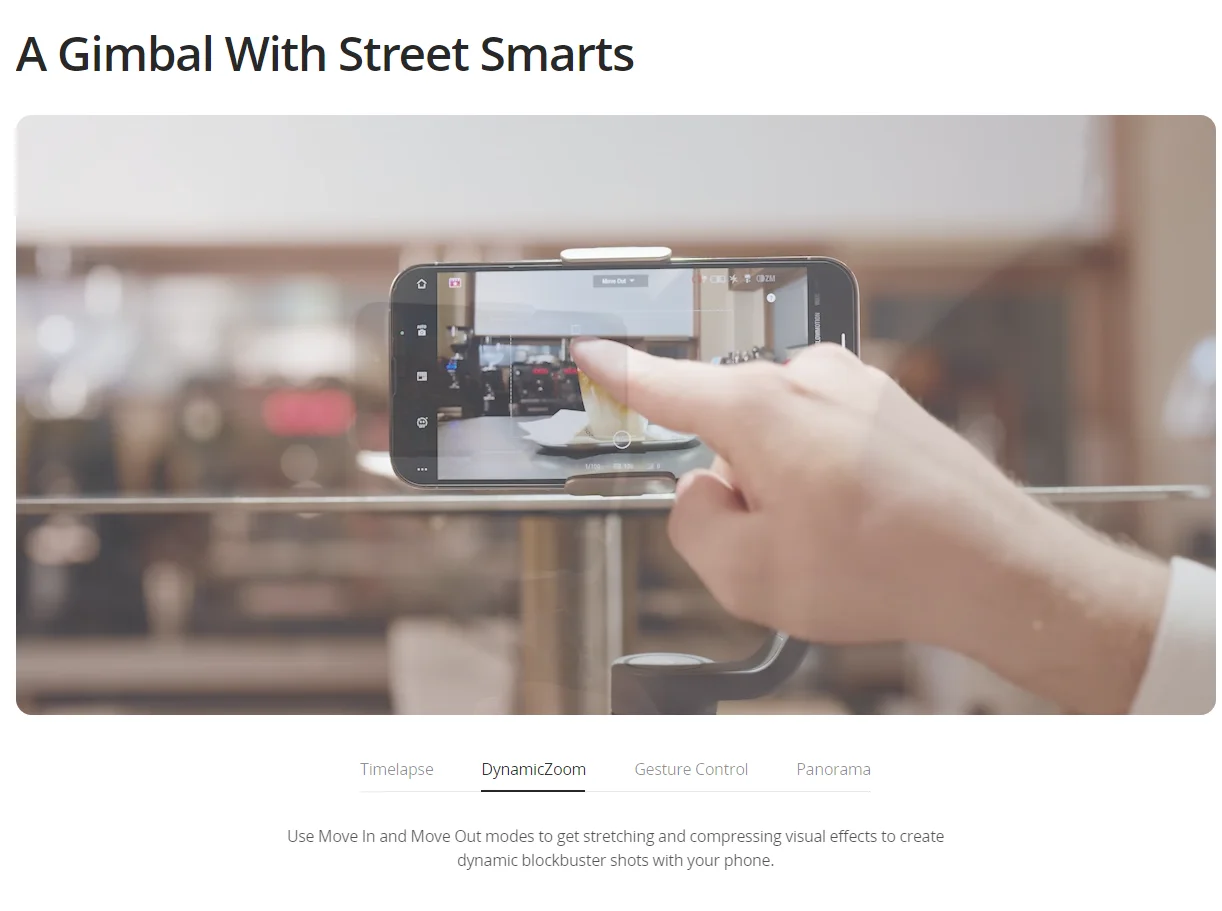
ប្រើរបៀប Move In និង Move Out ដើម្បីទទួលបានបែបផែនមើលឃើញលាតសន្ធឹង និងបង្រួម ដើម្បីបង្កើតរូបថតដ៏អស្ចារ្យជាមួយទូរស័ព្ទរបស់អ្នក។

ការគ្រប់គ្រងកាយវិការធ្វើឱ្យការថតរូប Selfie ឬរូបថតក្រុមមានភាពងាយស្រួល។ ការថតរូប ឬការចាប់ផ្តើមវីដេអូមិនដែលងាយស្រួលបែបនេះទេ។

សាកល្បងរបៀប Pano បី៖ 3x3, 240° ឬ CloneMe មានសម្រាប់ចក្ខុវិស័យច្នៃប្រឌិតរបស់អ្នក។ សាកល្បង ហើយអ្នកនឹងឃើញ។
ដំបងបន្ថែមដែលភ្ជាប់មកជាមួយ
ធ្វើឱ្យមនុស្សគ្រប់គ្នានៅក្នុងរូបភាព។ ផ្នែកបន្ថែមដែលភ្ជាប់មកជាមួយមានន័យថាគ្មាននរណាម្នាក់ត្រូវបានទុកចោលឡើយ។ រួមបញ្ចូលមិត្តភក្តិ សត្វចិញ្ចឹម ឬទេសភាពដ៏ស្រស់ស្អាតបន្ថែមទៀតនៅក្នុងការថតណាមួយ។ ថតរូប Selfie ថាមវន្តពីមុំខ្ពស់ ឬទាប។ លាតដំបងដើម្បីពង្រីកលទ្ធភាពច្នៃប្រឌិត។


ប្តូររហ័សទៅបញ្ឈរ
ប្តូរយ៉ាងរលូនរវាងរបៀបទេសភាព និងបញ្ឈរដោយគ្រាន់តែចុចប៊ូតុងប្តូរពីរដង។


គ្មានការភ្នាល់ជាមួយ Gimbal នេះទេ


បន្តទៅមុខ
ActiveTrack 5.0 ត្រូវបានធ្វើឱ្យប្រសើរឡើងយ៉ាងពេញលេញសម្រាប់ការតាមដានដែលមានស្ថេរភាពជាងមុននៅចម្ងាយឆ្ងាយជាង។ [2] កំណែដែលបានធ្វើឱ្យប្រសើរឡើងអនុញ្ញាតឱ្យកាមេរ៉ាខាងមុខតាមដានវត្ថុដែលងាកទៅចំហៀង ឬវិល។
មិនថាការបោះតង់ ការធ្វើដំណើរ ឬការថតតាមដងផ្លូវទេ Gimbal នឹងរក្សាវត្ថុឱ្យនៅចំកណ្តាលដោយស្វ័យប្រវត្តិ ដើម្បីធ្វើឱ្យវីដេអូរបស់អ្នកកាន់តែដូចរឿងរ៉ាវ។

វីដេអូប្លុកដែលពេញនិយម
កុំបារម្ភអំពីពន្លឺមិនល្អ ឬសំឡេងរំខាន។ ជាមួយនឹង DJI OM Fill Light Phone Clamp និង DJI Mic អ្នកត្រូវបានរៀបចំសម្រាប់ស្ថានភាពណាមួយ និងបំពាក់ដើម្បីលើកកម្ពស់ខ្លឹមសាររបស់អ្នកដល់កម្រិតថ្មី។


ធ្វើវាឲ្យបានល្អ ចាប់ពីការថតលើកដំបូងរហូតដល់ការបង្ហោះ

DJI Mimo
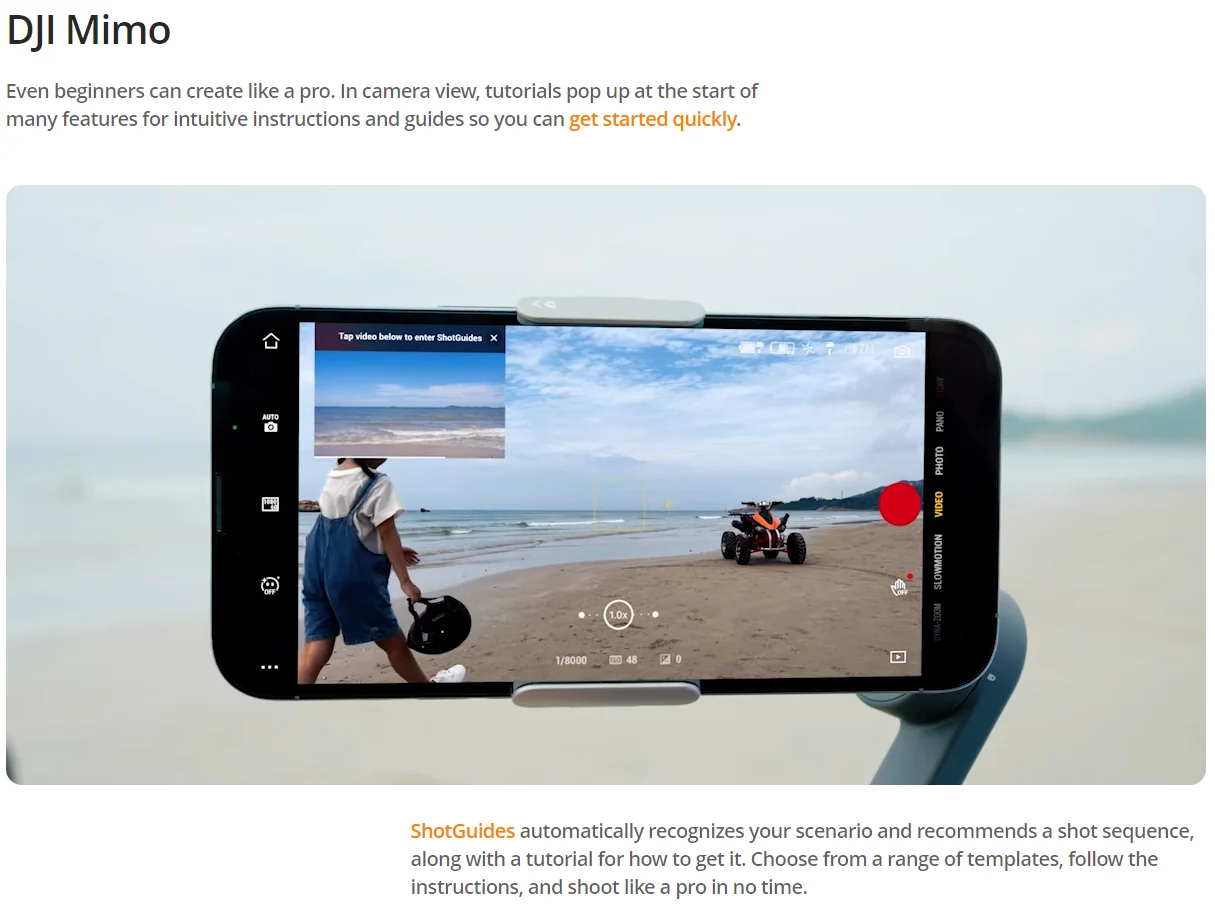
សូម្បីតែអ្នកចាប់ផ្តើមដំបូងក៏អាចបង្កើតបានដូចអ្នកជំនាញដែរ។ នៅក្នុងទិដ្ឋភាពកាមេរ៉ា ការបង្រៀននឹងលេចឡើងនៅដើមដំបូងនៃមុខងារជាច្រើនសម្រាប់ការណែនាំ និងមគ្គុទ្ទេសក៍ដែលងាយស្រួលប្រើ ដូច្នេះអ្នកអាចចាប់ផ្តើមបានយ៉ាងឆាប់រហ័ស។
ShotGuides ស្គាល់សេណារីយ៉ូរបស់អ្នកដោយស្វ័យប្រវត្តិ និងណែនាំលំដាប់នៃការថត រួមជាមួយនឹងការបង្រៀនអំពីរបៀបទទួលបានវា។ ជ្រើសរើសពីគំរូជាច្រើន ធ្វើតាមការណែនាំ ហើយថតដូចអ្នកជំនាញក្នុងពេលឆាប់ៗនេះ។

កម្មវិធី LightCut
លោតពីកម្មវិធី DJI Mimo ទៅកម្មវិធី LightCut ដែលមានមុខងារកែសម្រួលដោយ AI ដោយគ្រាន់តែប៉ះម្តង និងគំរូវីដេអូផ្តាច់មុខជាច្រើន។ ចាប់ពីការថតរហូតដល់ការកែច្នៃ វាគឺជាដំណោះស្រាយតែមួយគត់ដែលងាយស្រួលសម្រាប់អ្នកបង្កើតថ្មី។


កុំភ្លេចបន្ថែមគ្រឿងបន្ថែម


មើលដោយខ្លួនឯង
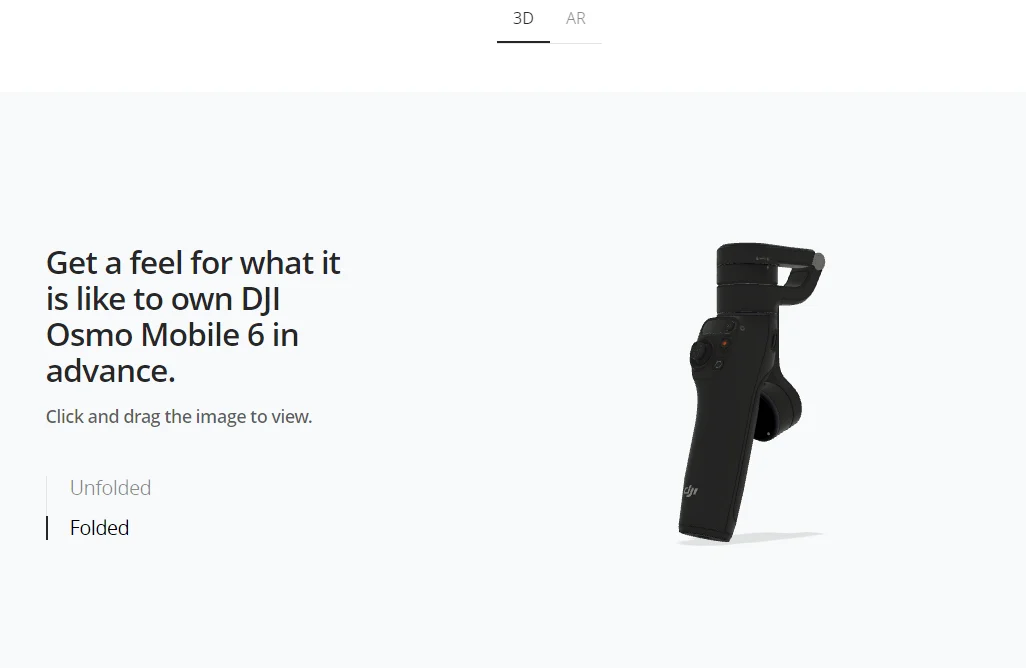
ទទួលបានអារម្មណ៍ថាវាយ៉ាងម៉េចដែរក្នុងការមាន DJI Osmo Mobile ៦ ជាមុន។
ចុច ហើយអូសរូបភាពដើម្បីមើល។

មើលឱ្យកាន់តែច្បាស់ពីគ្រប់មុំ។
ប្រើកាមេរ៉ា iOS របស់អ្នកដើម្បីស្កេនលេខកូដ QR សម្រាប់ការមើលជាមុន AR របស់ DJI Osmo Mobile 6។


SPECIFICATIONS

Brand Name: DJI

Compatible Gimbal Brand: DJI Osmo Mobile 6

Compatible Gimbal Model: DJI Osmo Mobile 6

Gimbal Accessories Type: Pole

High-concerned chemical: none

Model Number: OM 6

Origin: Mainland China

Package: Yes

Take a Closer Look

Lossless Stabilization
Capture smooth, on-the-move creations that impress and awe. DJI's advanced stabilization technology puts shake-free results at your fingertips.
Unlock More Shooting Angles
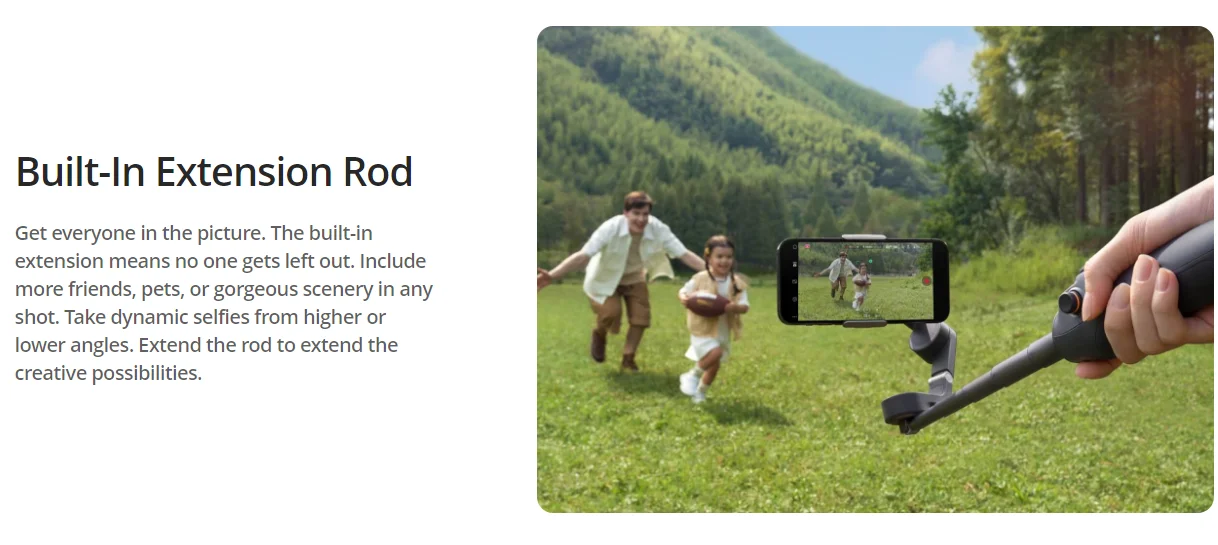
Extends up to 215 mm for high or low shots. The built-in extension rod allows you to include more friends, pets, and landscape in your selfies.
Quick Launch, No More Hassles
Unfold the gimbal to power on. Connect magnetically, and start shooting as soon as inspiration strikes.
ActiveTrack 5.0, Keep Centered
Steadily track from longer distances, ActiveTrack 5.0 also supports front camera tracking even from the side or spinning around.
Tutorials and One-Tap Editing
Effortlessly shoot and edit with DJI Mimo and LightCut. And get a recommended shot sequence and tutorial based on your content with ShotGuides.


In the Box

Osmo Mobile 6× 1
DJI OM Magnetic Phone Clamp 3× 1
Grip Tripod× 1
Power Cable× 1
Storage Pouch× 1


Overview

Osmo Mobile 6 is an intelligent smartphone stabilizer packed with creative features. It's not only compact and easily foldable to fit in your palm, but also launches automatically once unfolded to capture shots at a moment's notice. Get dynamic angles and perfect selfies by using the built-in extension rod. A whole host of intelligent functions and guides are at your disposal. The DJI Mimo app facilitates efficient shooting, editing, and sharing, allowing you to catch every unforgettable moment.

Ready…Steady…Go!
Compact and Portable
Carry your Osmo Mobile 6 on exciting adventures. The compact and foldable design is easy to pack, and with the quick-release magnetic phone clamp, you can get going without the hassle of removing your phone case. Snap-in or out – you're ready to shoot or take a call at a moment's notice.

Quick Launch
Osmo Mobile 6 powers on as soon as you unfold it. Snap-in a paired smartphone, and the DJI Mimo app pops up automatically, allowing you to start shooting as soon as inspiration strikes.

3-Axis Stabilization
With 3-axis stabilization, capture smooth, lossless, on-the-move creations that impress and wow. Osmo Mobile 6 integrates DJI's advanced stabilization technology to put strong, stable, shake-free results at your fingertips.


Lookin' Good
The new Slate Gray color is sleek, neat, and stain resistant. With an improved ergonomic design and anti-slip grip, Osmo Mobile 6 fits snugly in your hand.

Smooth Operator
Conveniently check the battery level, the system status indicator, and switch between gimbal modes with the new built-in status panel. Press th

In Follow mode, the camera view follows the gimbal's pan and tilt movements and stays stable during rolls. This mode is great for shooting up, down, and diagonally

The camera view only follows the gimbal's pan movements and stays stable during tilts and rolls—ideal for shooting horizontally or moving around a subject.

In FPV mode, all three axes of the gimbal follow the movement of the main body. This is wonderful for dynamic filming of still subjects like landmarks, buildings, or statues.

Just Roll to Control
Effortlessly and fluidly control zoom and focus with Osmo Mobile 6's new side wheel. Roll the wheel to adjust the focal length for flexible composition and zoom in and out with buttery smoothness. And for even more cinematic control, press the side wheel once to switch to manual focus.


Intelligent Features at the Ready

A Gimbal With Street Smarts
Warp time and space with Timelapse, Motionlapse, and Hyperlapse. With simple Motionlapse templates, you can blend beautiful moments into impressive clips.

Use Move In and Move Out modes to get stretching and compressing visual effects to create dynamic blockbuster shots with your phone.

Gesture control makes taking a selfie or a group photo easy. Snapping a pic or starting a video has never been this convenient.

Try three pano modes: 3x3, 240°, or CloneMe are available for your creative vision. Try, and you shall see.
Built-In Extension Rod
Get everyone in the picture. The built-in extension means no one gets left out. Include more friends, pets, or gorgeous scenery in any shot. Take dynamic selfies from higher or lower angles. Extend the rod to extend the creative possibilities.


Quick Switch to Portrait
Smoothly switch between landscape and portrait mode by simply pressing the switch button twice.

There's No Gamble With This Gimbal


Keep Up
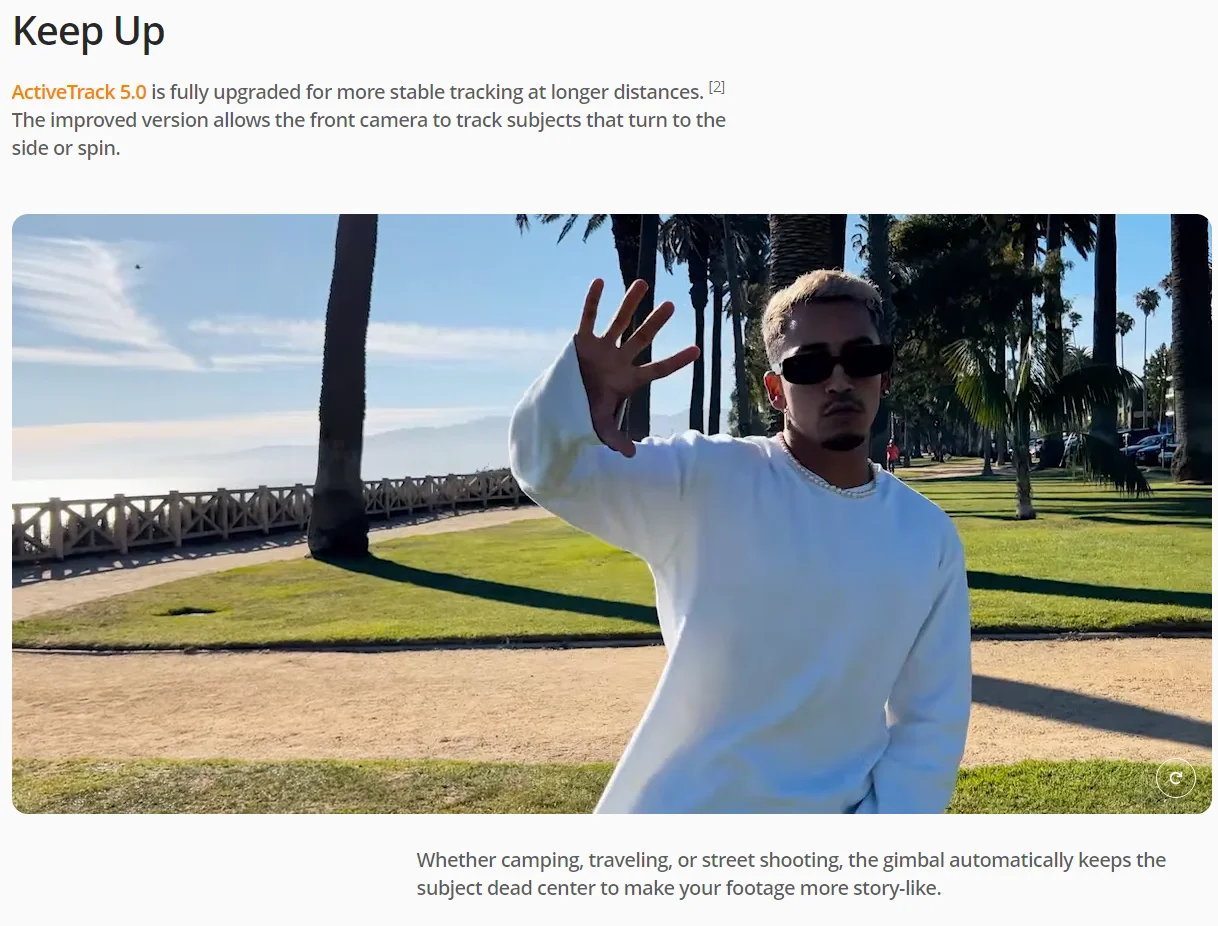
ActiveTrack 5.0 is fully upgraded for more stable tracking at longer distances. [2] The improved version allows the front camera to track subjects that turn to the side or spin.
Whether camping, traveling, or street shooting, the gimbal automatically keeps the subject dead center to make your footage more story-like.

Vlogs That Pop
Don't worry about bad lighting or distracting noise. With the DJI OM Fill Light Phone Clamp and DJI Mic, you're prepared for any situation and equipped to elevate your content to new levels.


Nail It, From First Take to Post

DJI Mimo
Even beginners can create like a pro. In camera view, tutorials pop up at the start of many features for intuitive instructions and guides so you can get started quickly.
ShotGuides automatically recognizes your scenario and recommends a shot sequence, along with a tutorial for how to get it. Choose from a range of templates, follow the instructions, and shoot like a pro in no time.

LightCut App
Jump from the DJI Mimo app to the LightCut app, which features AI-powered one-tap editing and a range of exclusive video templates. From shooting to processing, it's a one-stop solution truly friendly for new creators.


Don't Forget to Accessorize


See for Yourself
Get a feel for what it is like to own DJI Osmo Mobile 6 in advance.
Click and drag the image to view.

Take a closer look from every angle.
Use your iOS camera to scan the QR code for an AR preview of DJI Osmo Mobile 6.


Compare products

{"one"=>"Select 2 or 3 items to compare", "other"=>"{{ count }} of 3 items selected"}

Select first item to compare

Select second item to compare

Select third item to compare

Compare