


ORICO Docking Station Deck with Dual M.2 NVME SSD Case 3.5 Hard Drive Enclosure Steam Dock 10 in 1 HDMI 4K60Hz PD100W Ethernet
DARAHUB Store
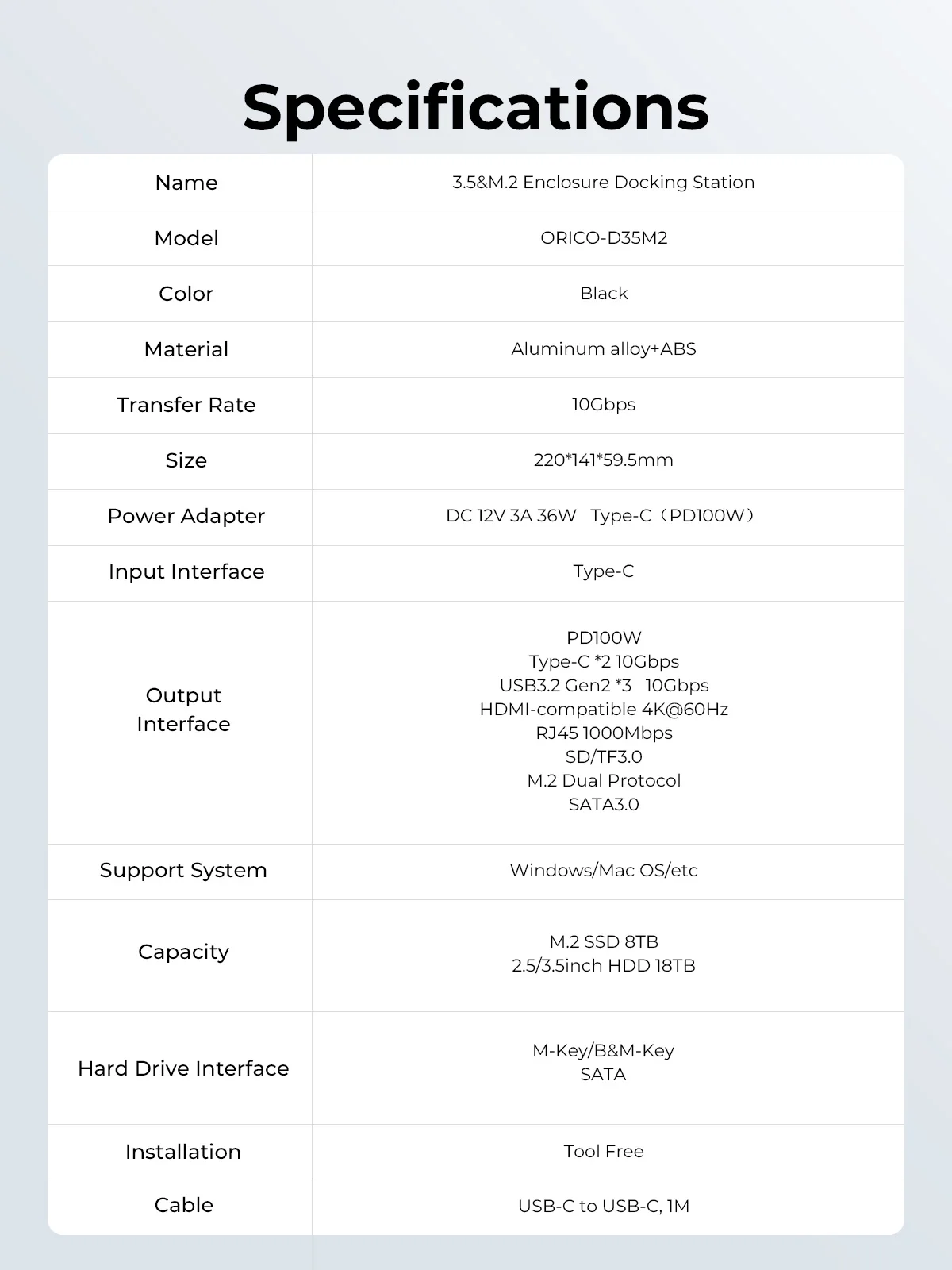
SPECIFICATIONS
3.5 HDD Capacity: 3.5inch HDD 18TB
Brand Name: Orico
Cable: 1M USB-C to USB-C
Certification: CE
Function 1: PD100W power supply
Function 2: 4K@60Hz HDMI-com
Function 3: SD/TF3.0
Function 4: RJ45 1000Mbps
Function 5: M.2 nvme sata case
Function 6: 3.5inch HDD case
Funtion: HDMI-Compatible/Card Reader/RJ45
High-concerned chemical: None
Input Interface: Type-C
Installation: Tool Free
Interface Type: USB Type-C
Item: 3.5&M.2 Enclosure Docking Station
Length: 1m
M.2 SSD Capacity: M.2 SSD 8TB
Material: Aluminum alloy+ABS
Model Number: ORICO D35M2
Origin: Mainland China
Package: Yes
Plug Type: EU
Ports: 12,10
Power Adapter: DC 12V 3A 36W
Standard: USB 3.1
Support System: Windows/Mac OS/etc
Transfer Rate: 10Gbps
Meet all your needs
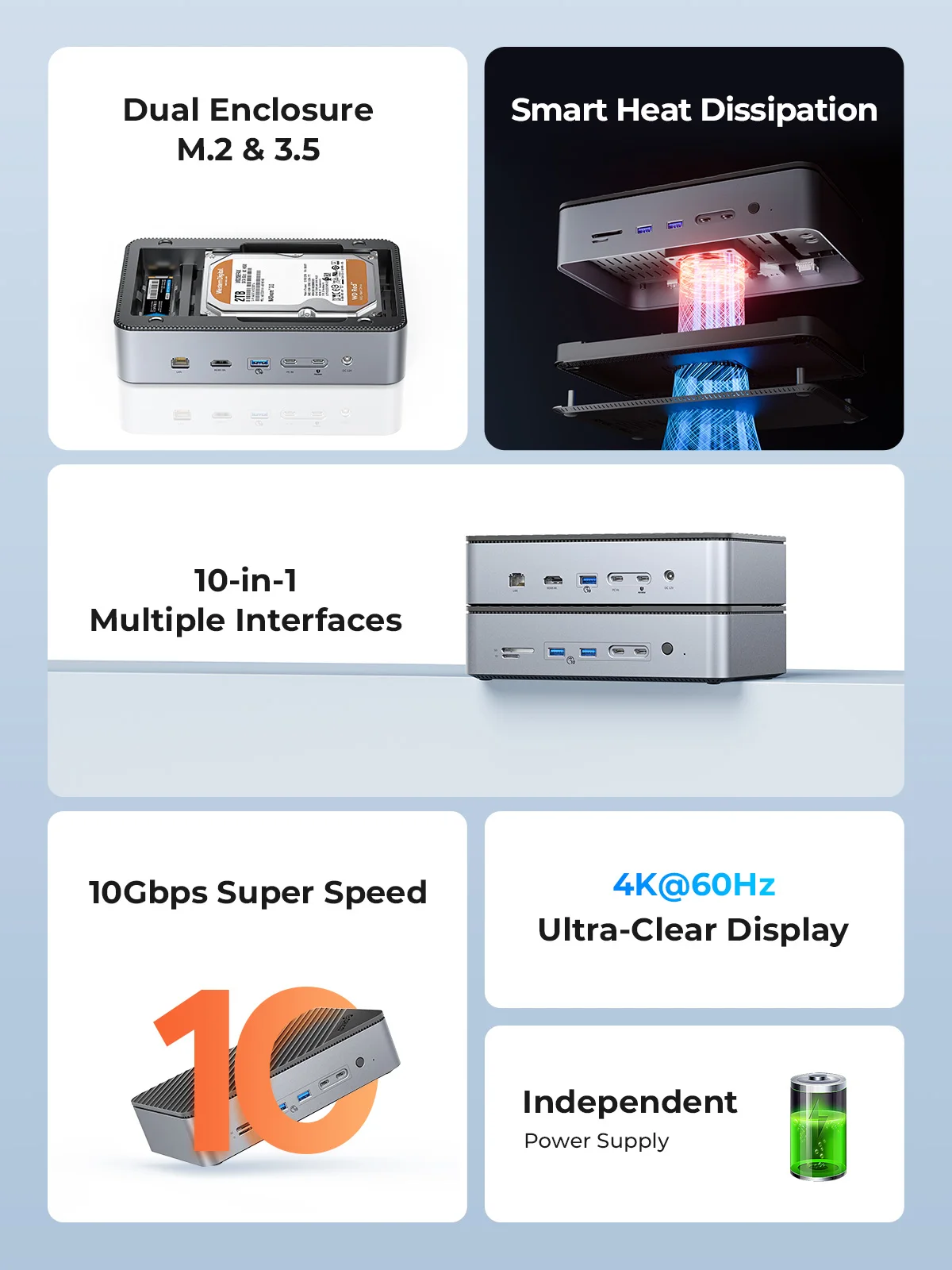
ORICO USB C docking station combines 10 ports can fully meet the various needs of daily entertainment and game work, bringing a more convenient and convenient use experience.
M.2 SATA NVMe SSD Enclosure up to 8TB.
3.5inch Hard Drive Enclosure up to 18TB.
4K@60Hz HD Display Output,bringing the ultimate enjoyment of large-screen video to the game and providing you with a clearer and smoother visual experience.
High-speed Data and Power Transmission,high-speed transmission rate of 10Gbps and 100W PD Power Supply for charging and data transfer.
RJ45 1000Mbps port to the computer to obtain a stable network speed.
SD/TF3.0 for editing the photos and video.
Sufficient Power Supply,use 3C certification 12V/3A power adapter ensure that multi-port runs stably at the same time.
Note:
1.The power indicator will light up when power is applied, and the switch on the docking station only controls whether the 2.5/3.5-inch hard drive is online or not. M.2 ssd is functional when plugged in under power, not controlled by switch.
2.To ensure stable connection, please connect the DC power supply after inserting the SSD.
3.Press the switch on the docking station when reading a 2.5/3.5"hard drive.
4.If multiple interfaces are used at the same time, the transfer speed of each port will be slightly reduced.
5.the PD100W interface needs to be connected to a power outlet or power strip using a cable and charger. Then use a cable to connect the dock's PC IN interface to a laptop or other electronic device.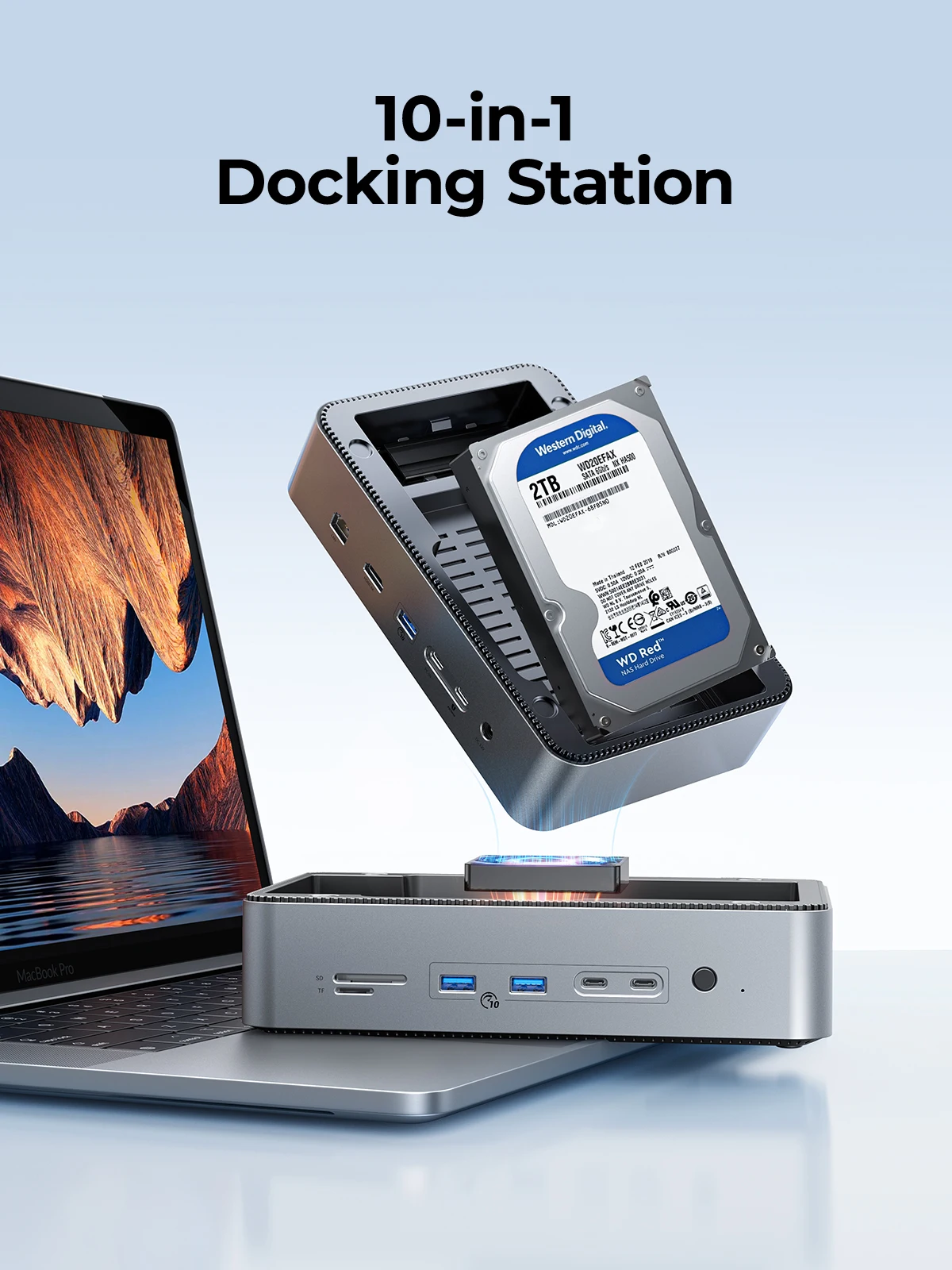
Meet All Your Needs
10 in 1 USB C HUB with Dual M.2 and 3.5 enclosure.

10 in 1 USB C HUB
Supports M.2 NVMe/SATA (8TB) and 3.5 inch SATA hard drives (18TB).

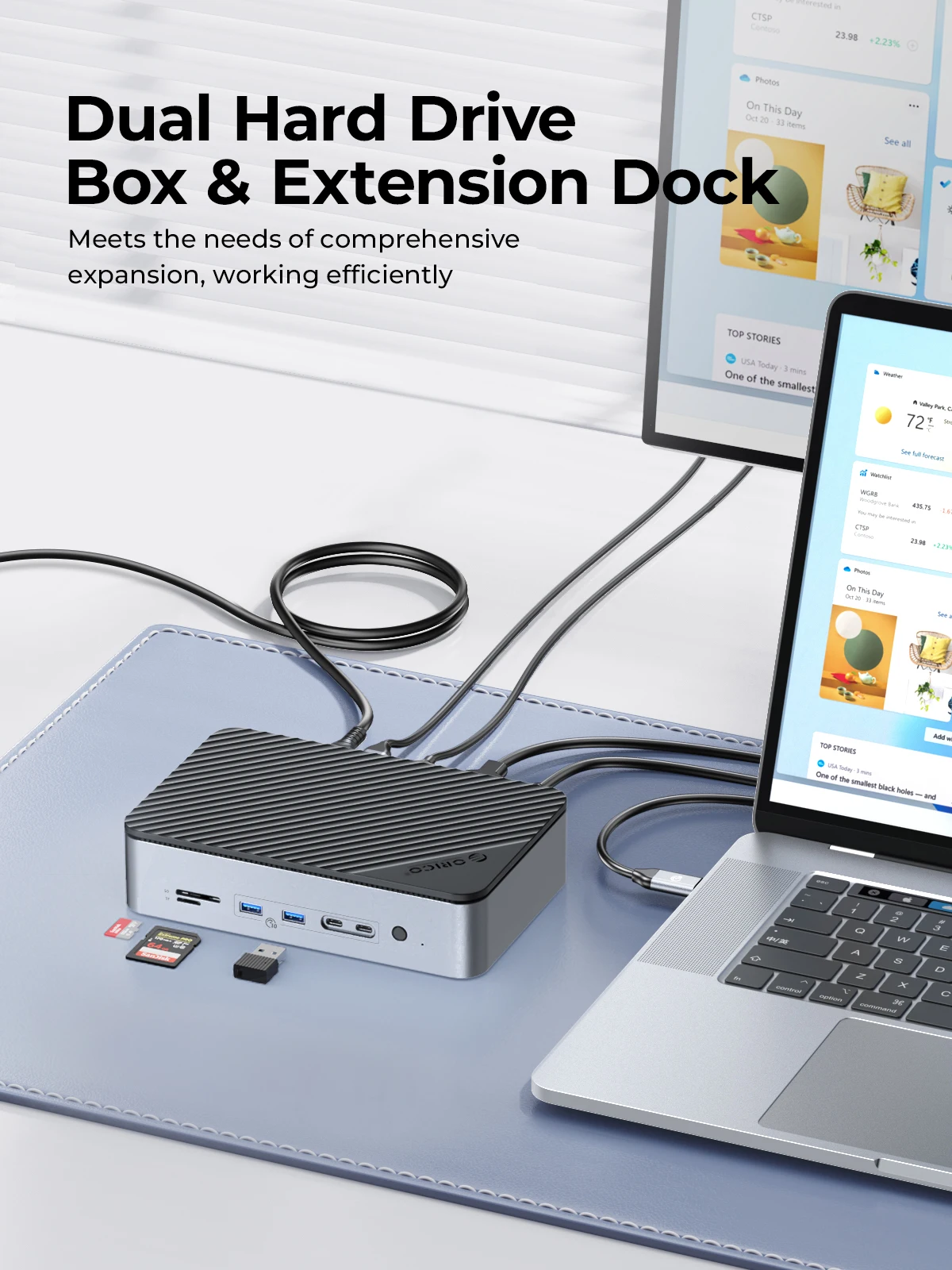
Dual Hard Drive Box & Extension Dock
Meets the needs of comprehensive expansion, working efficiently.
4K@60Hz Display
Easily mirror or extend Type-C laptops, Macbooks, switches, and steam decks to external screens with 4K@60Hz displays.

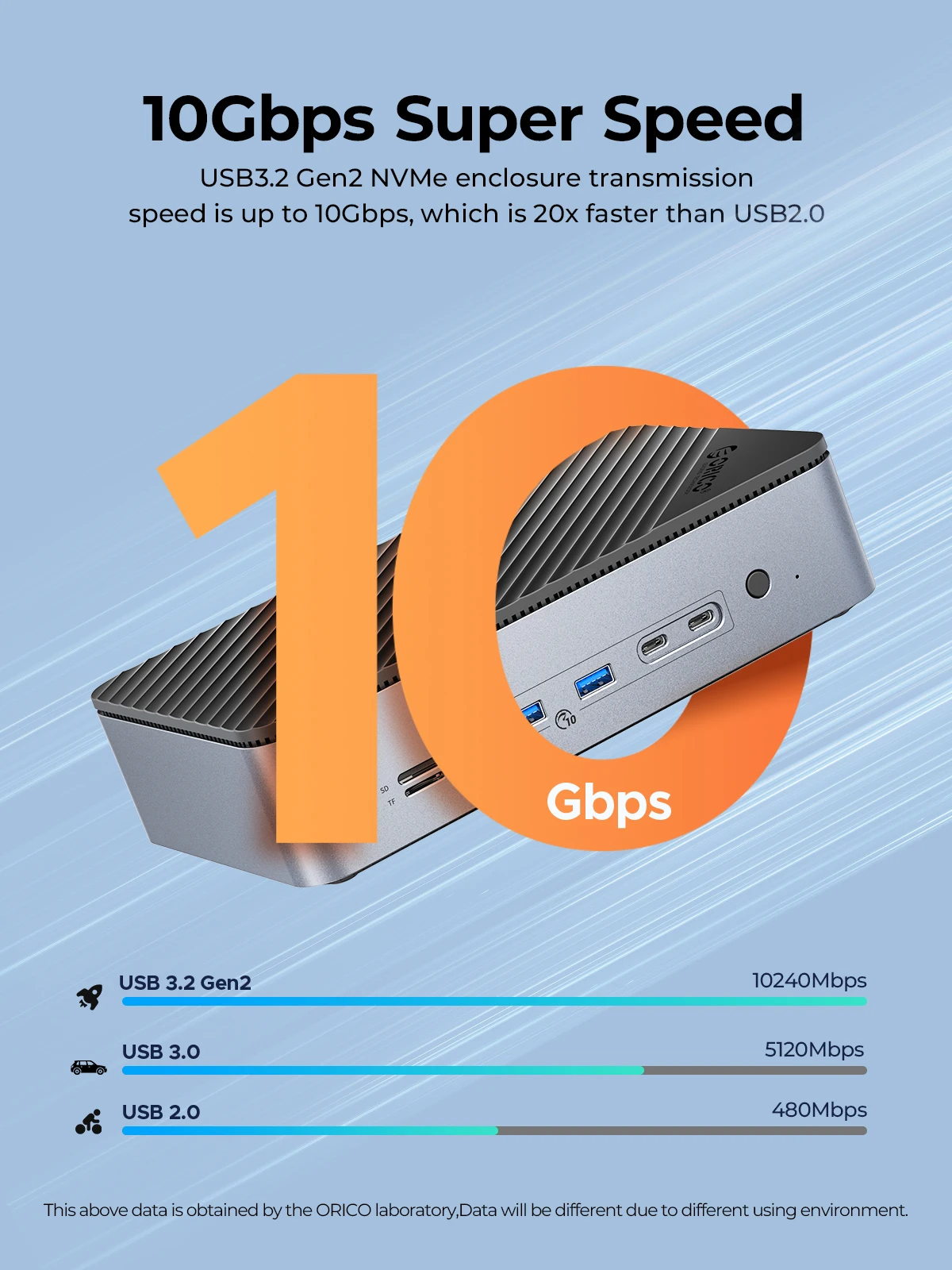
10Gbps Super Speed
USB3.2 Gen2 NVMe enclosure transmission speed is up to 10Gbps, which is 20x faster than USB2.0.
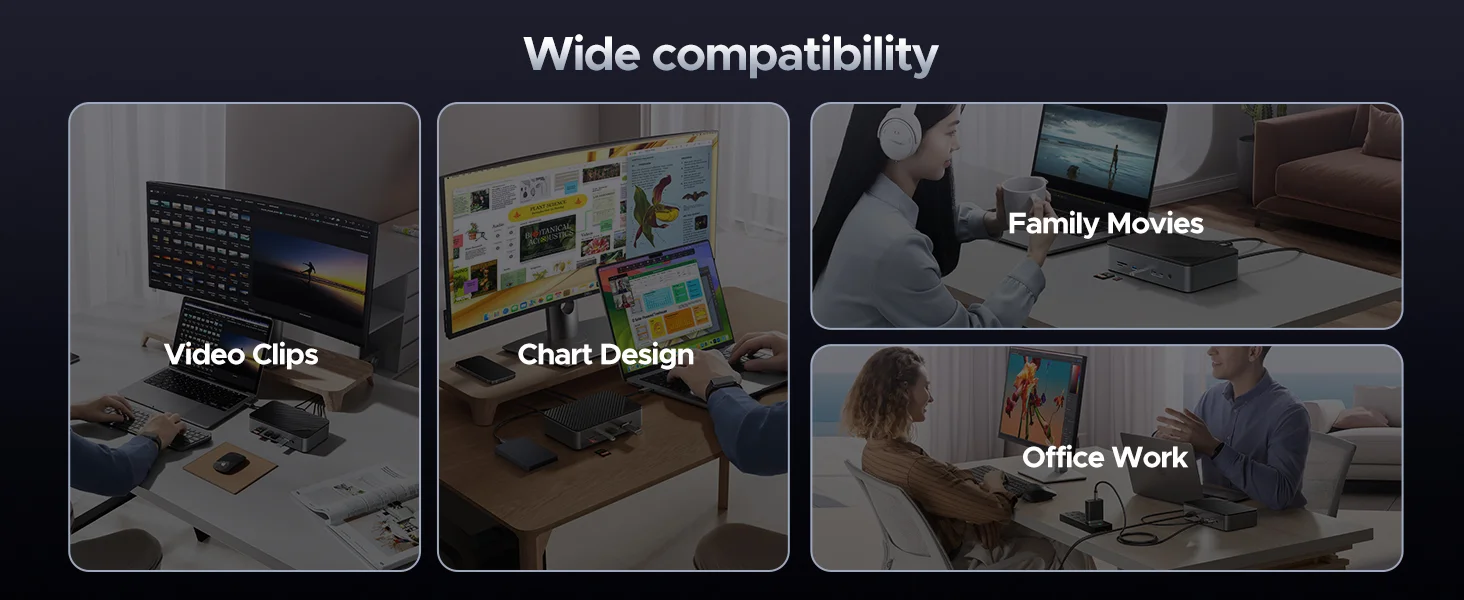
Designed for designers, photographers, video editors
This dock can be a great solution for a photographer.Just populate the dock with a large nvme and hdd drive and maybe even connect a portable monitor and a great workstation can be set up to do some real work offloading photos from an SD/TF card and editing the photos.gigabit ethernet 1000Mbps and PD100W power supply fast charging for laptop or other electronic equipment.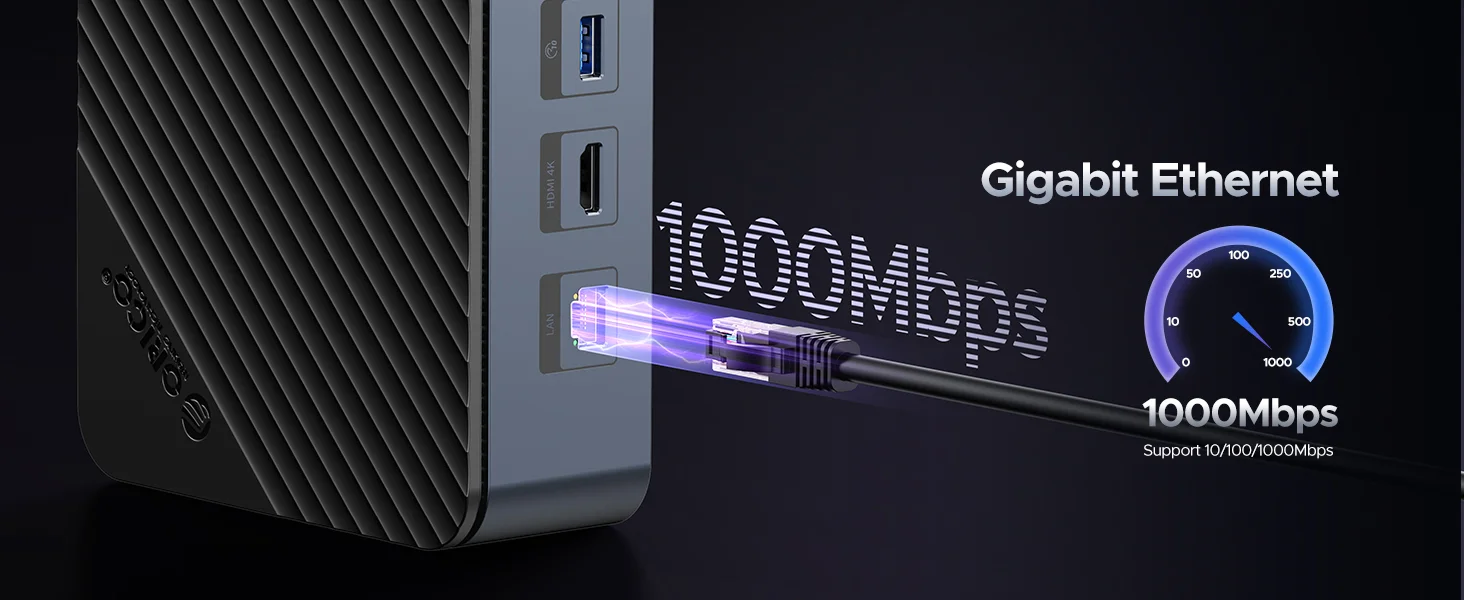
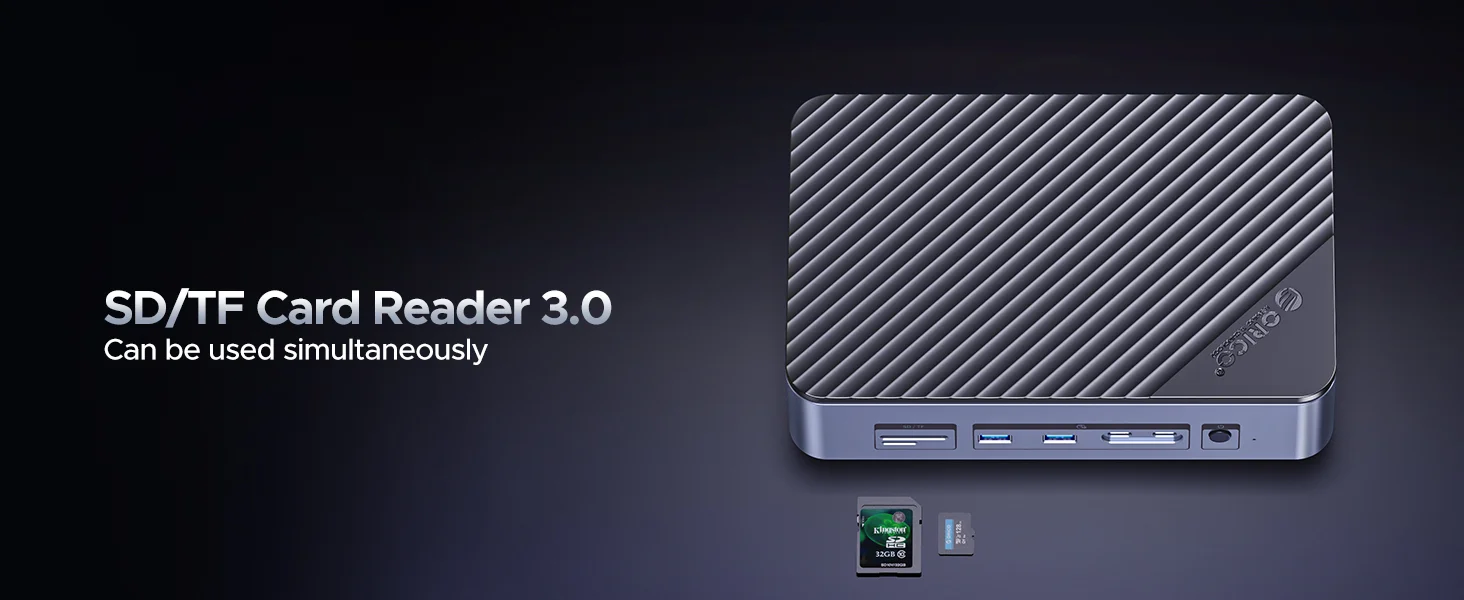
before charging laptops and other electronic devices
Please note that to charge devices like laptops, you need to connect the PD100W port with a cable, then connect that cable to the charger, which should be plugged into a wall outlet or power strip. Finally, use the dock's PC IN port to connect the cable to the laptop.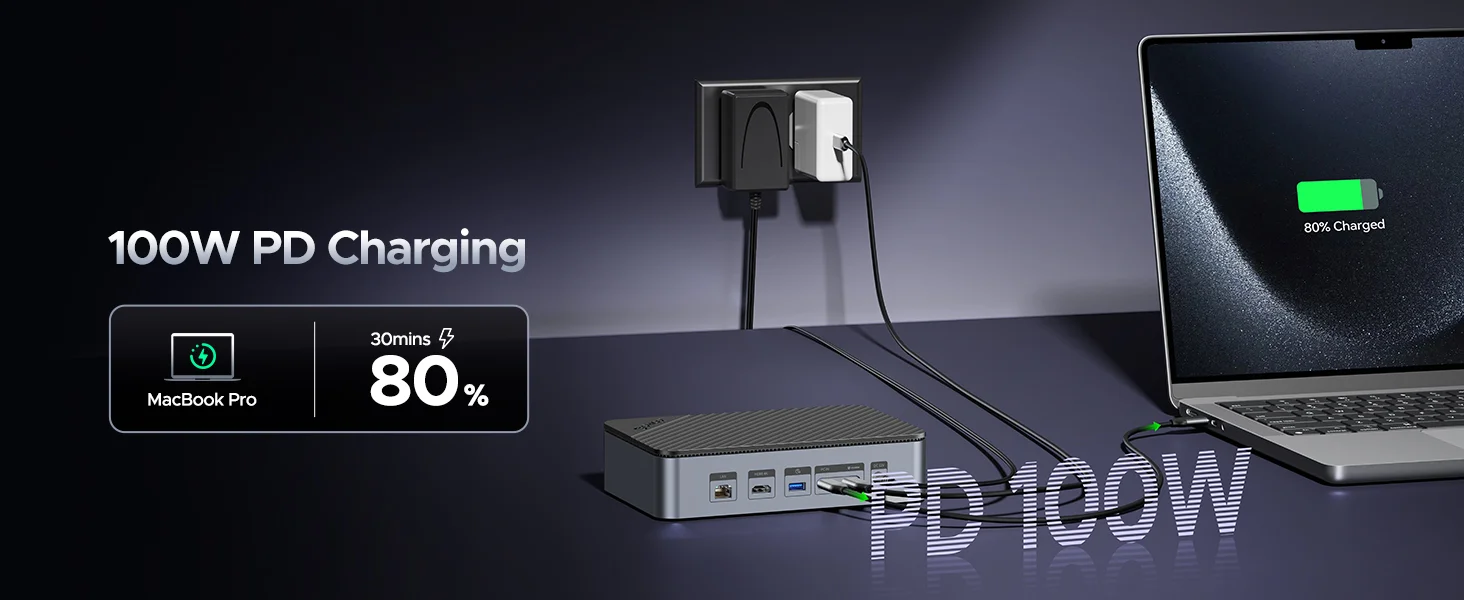
Save Desktop Space, Storage Expand
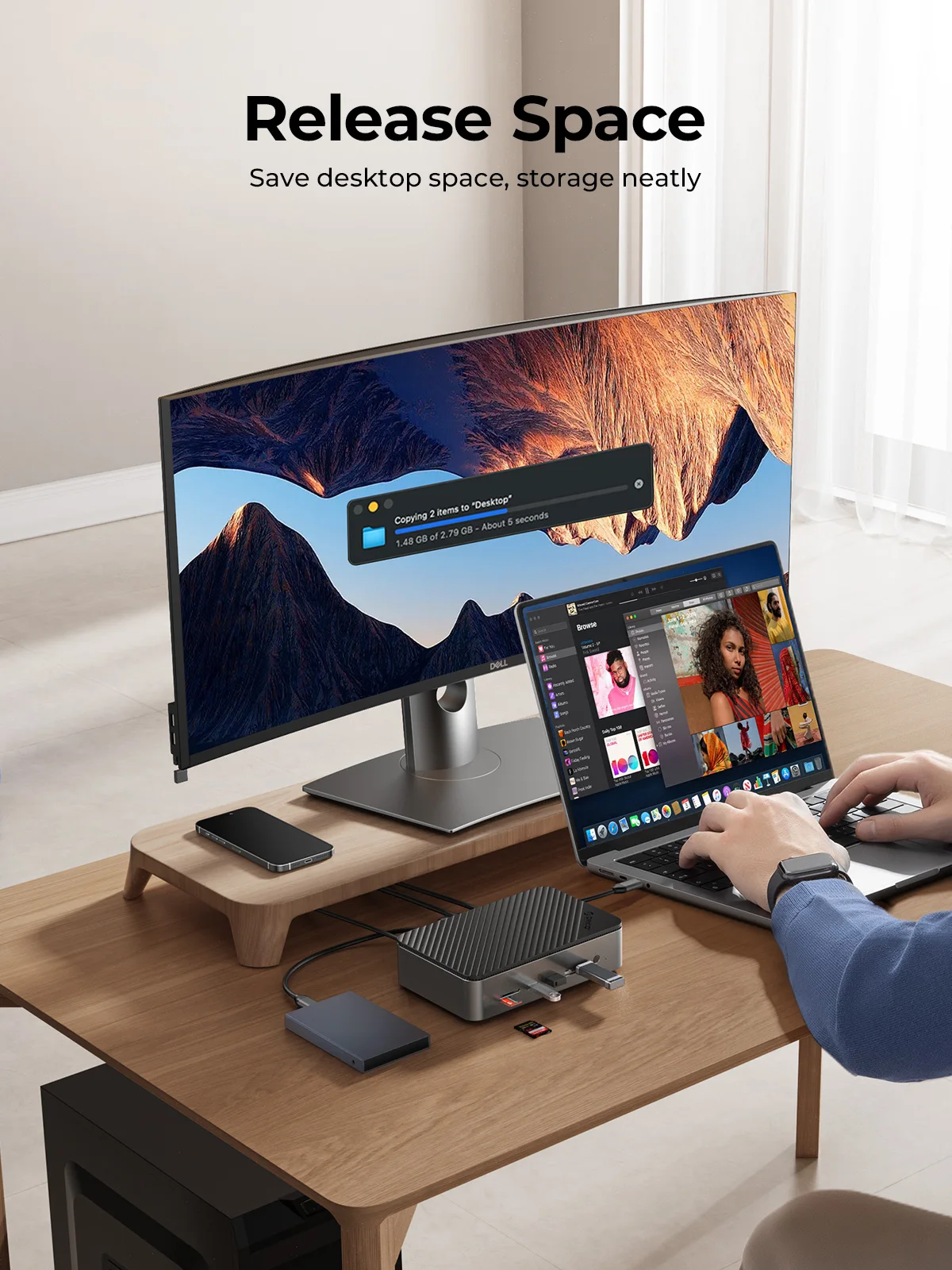
Sufficient Power Supply
Use 3C certification 12V/3A power adapter ensure that multi-port runs stably at the same time.

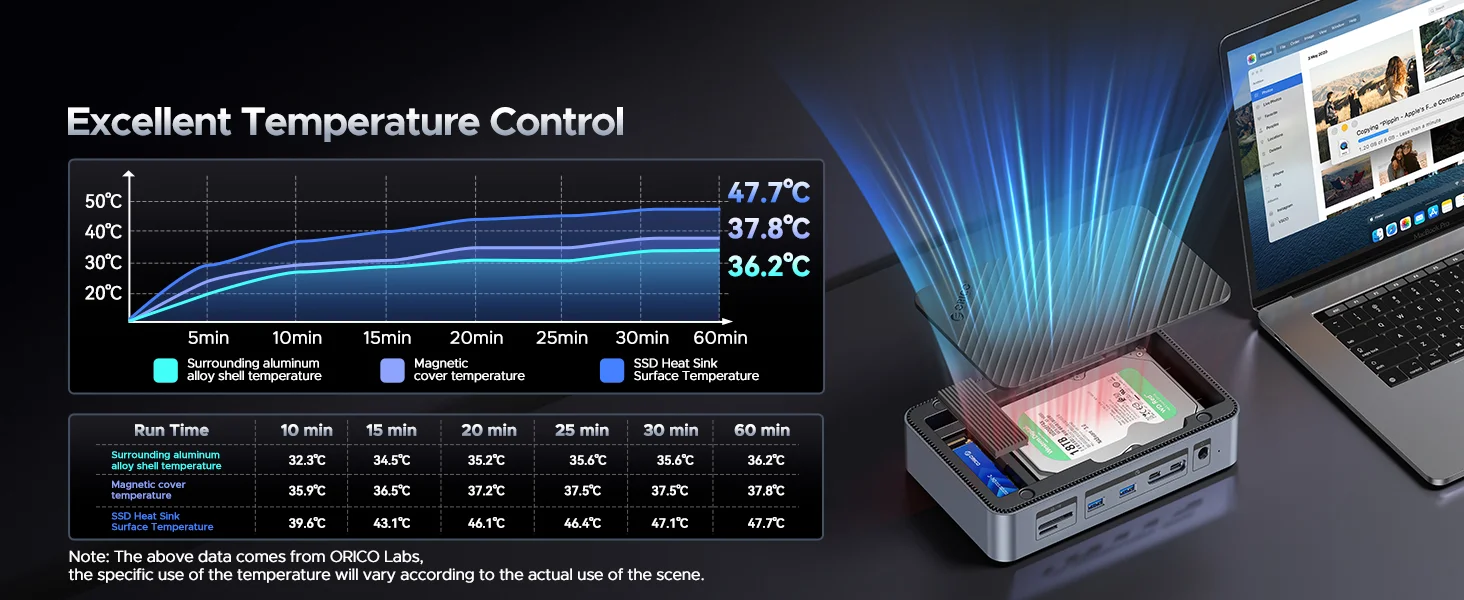
Multiple Heat Dissipation
with intelligent cooling fan, cooling vest and aluminum alloy shell make reading smoothly, ensure your data security.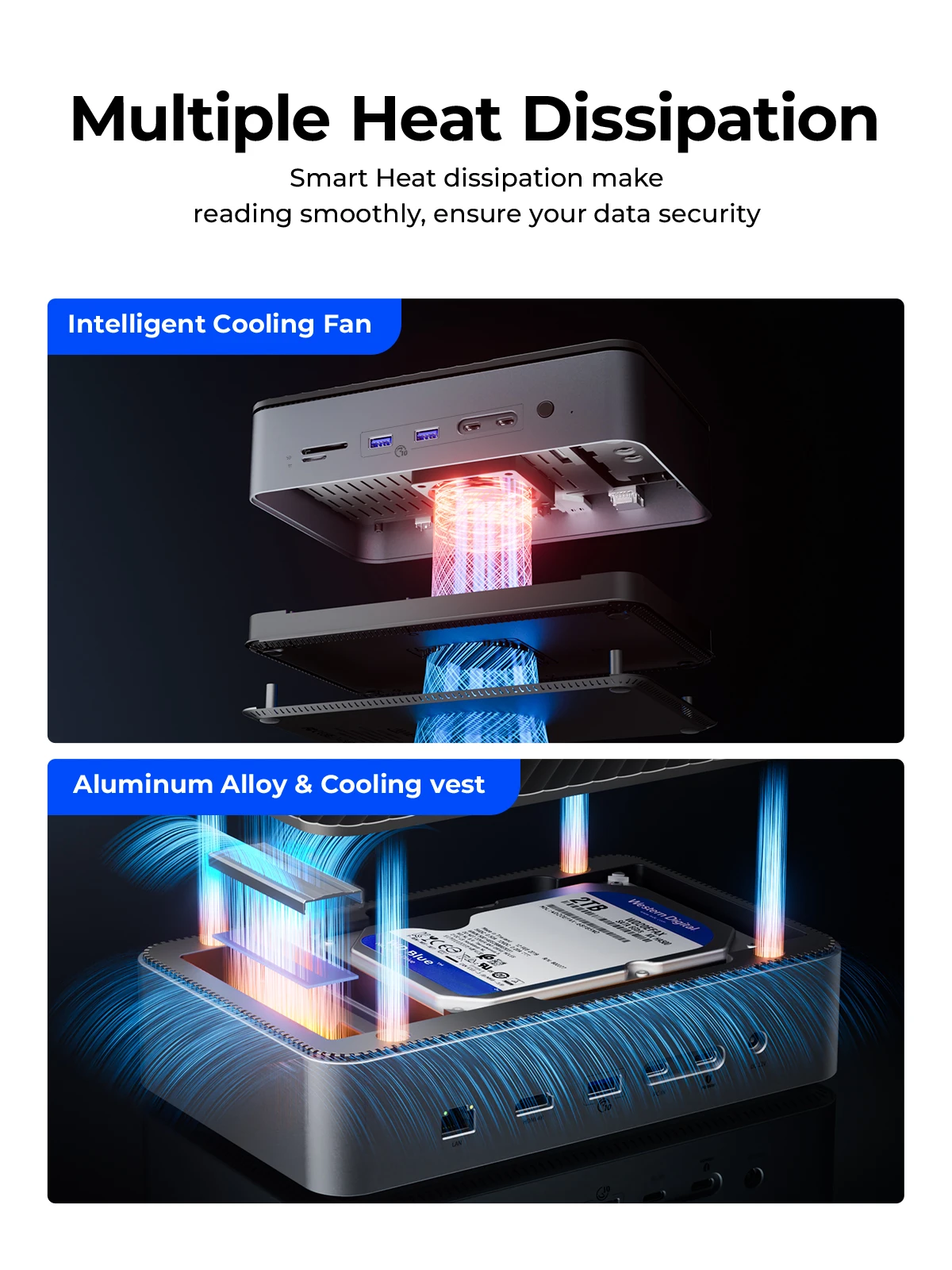
Magnetic Technology Design
Remove the troubles of traditional push -pull hard disks, complete the installation and disassembly of the hard disk in 5 seconds.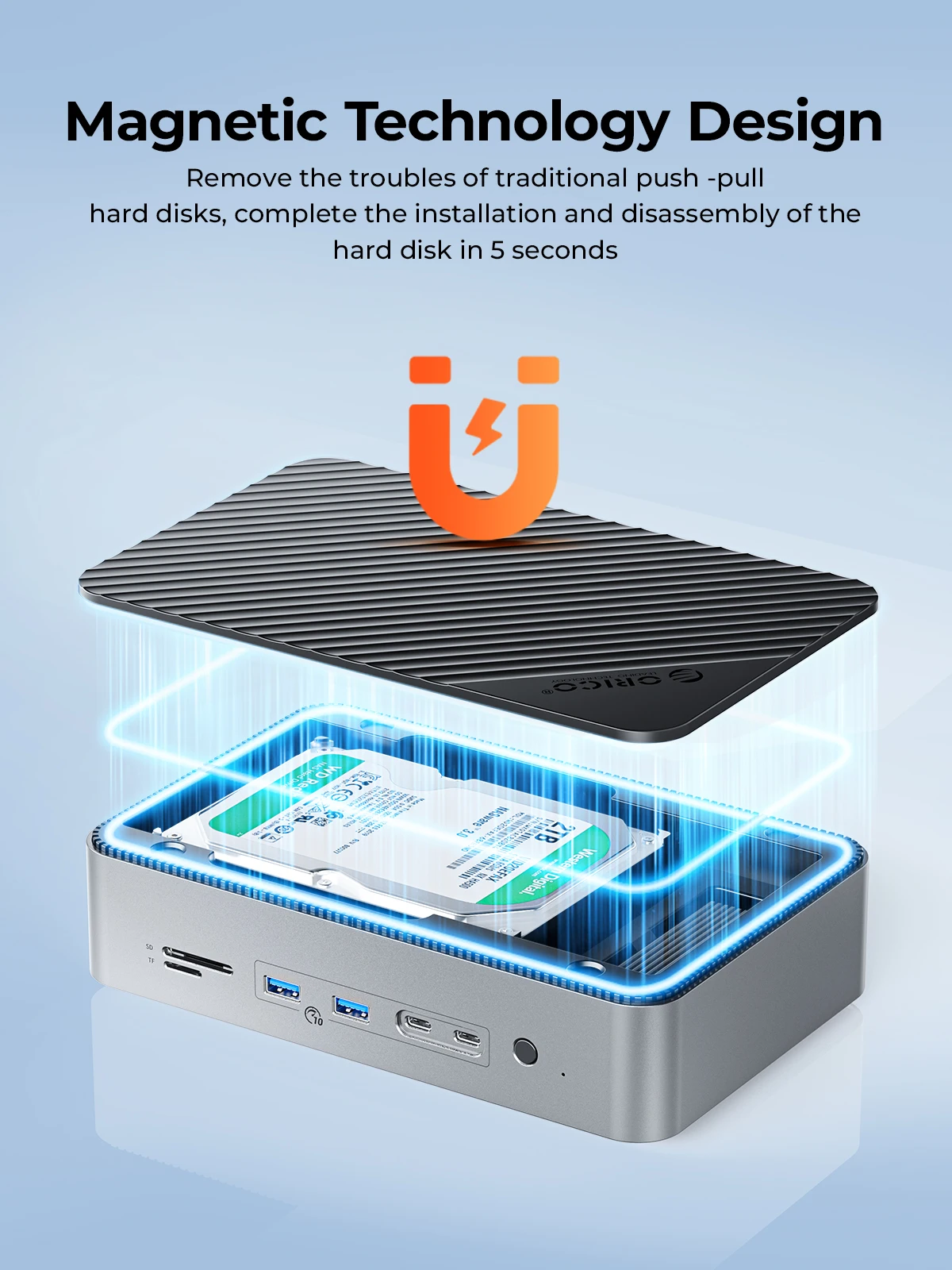
Too Free,Plug and Play
Compatible with Windows, Mac OS.etcEasy of using, tool free design.
Question: Why is there no response when charging the laptop?
Answer: Please check if the connections are correct: the PD100W interface needs to be connected to a power outlet or power strip using a cable and charger. Then use a cable to connect the dock's PC IN interface to a laptop or other electronic device.
Question: Why does the indicator light remain on after turning the switch on and off?
Answer: The power indicator will light up when power is turned on,and the switch on the docking station only controls whether the 2.5/3.5-inch hard drive is online or not. M.2 ssd or other ports is functional when plugged in under power, not controlled by switch.
Question: Why does the HDMI-compatible port not work properly? It cannot reach 4K?
Answer: The actual resolution depends on the hardware of the connected devices. If the connected devices (laptop, HDMI cable, monitor) cannot achieve the resolution advertised by the product, then it is not possible to project at the highest resolution as advertised.
Question: How can I confirm if this docking station is compatible with my device?
Answer: Please ensure that your laptop's USB-C port is fully functional, supporting power delivery, data transfer, and video output, or you may not be able to expand certain functions normally. If you are uncertain, please let us know before making a purchase.
Question: Why is the speed not as fast as advertised?
Answer: If multiple interfaces are used at the same time, the transfer speed of each port will be slightly reduced.
Question: What are the normal temperature and the sound level of the cooling fan?
Answer: To ensure good heat dissipation, the product is equipped with a high-speed fan that rotates at 7000 RPM, with a measured sound level of 40-60 decibels. The generated sound is similar in size to the cooling fans in your laptop and desktop computer.


